19 Engineering Resume Examples, Technician to Manager
- ATS Friendly
- Discipline Specific
- 19 Sub-Role Examples
A screener checks an engineering resume for four signals: your discipline and PE or EIT status in the top third, bullets that lead with a result and one number, the exact software and codes you work to, and a layout a parser can read. Start from a parser-safe template below, then borrow from the full resume rendered in it, from a technician bench to an engineering manager.


540k+ resumes created
Editable engineering resume templates
Each template below is a real engineering resume laid out in that format, filtered by what you need. Pick one, then swap in your own discipline, tools, licensure, and results. All of them keep your name, contact details, and dates where an applicant tracking system expects to read them.
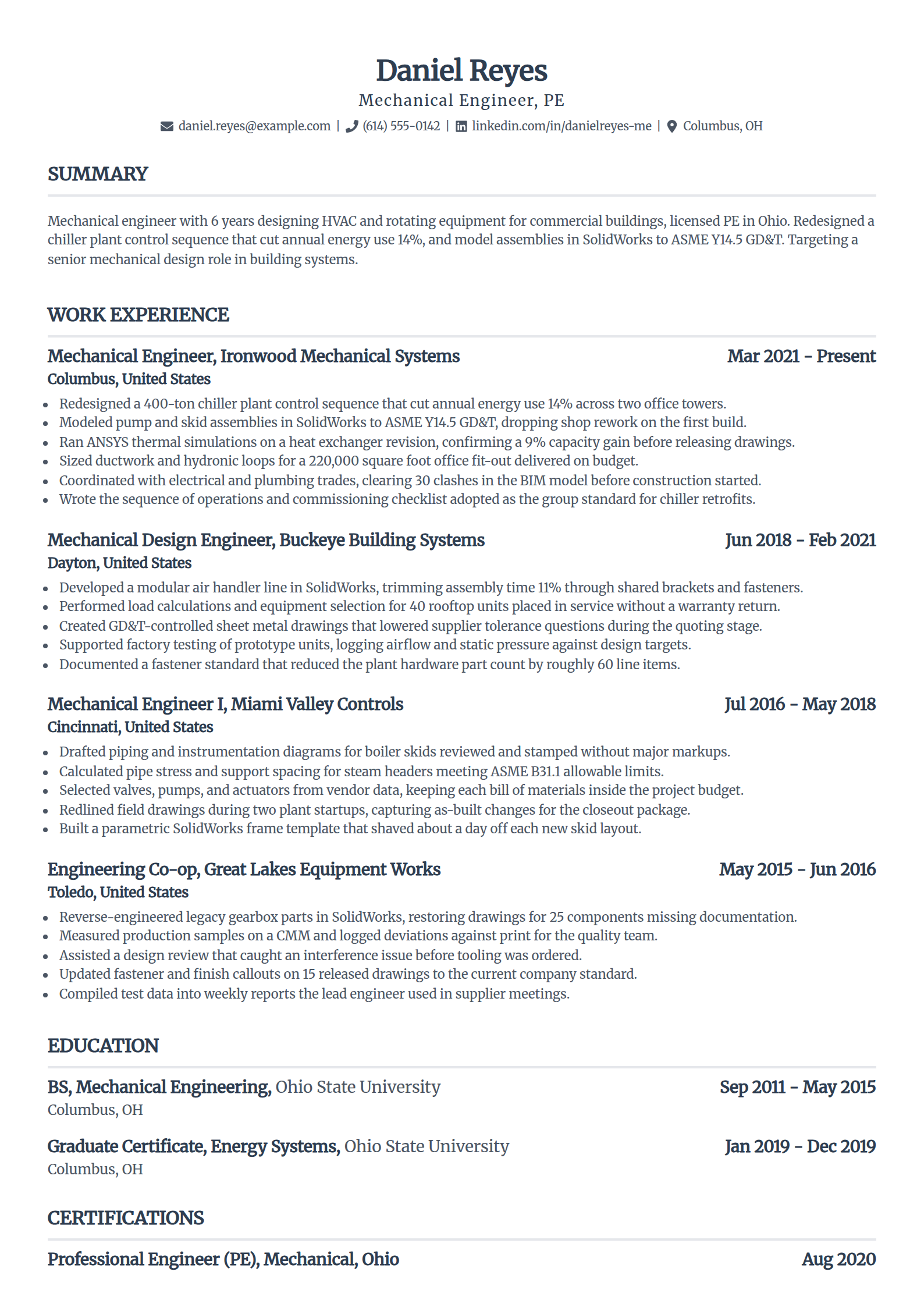
Mechanical Engineering Resume Template
Why this resume example works?
- Names the PE license and state in the header, the credential a mechanical posting screens for first.
- Leads with a countable result, a 14% energy cut on a chiller plant, instead of a duty.
- Names the tools by hand: SolidWorks, ANSYS, and GD&T to ASME Y14.5, which an ATS matches directly.
- Ties each number to how it moved, so the metrics read as real work rather than invented claims.
- Keeps a clean single-column layout that a resume parser reads top to bottom without dropping sections.
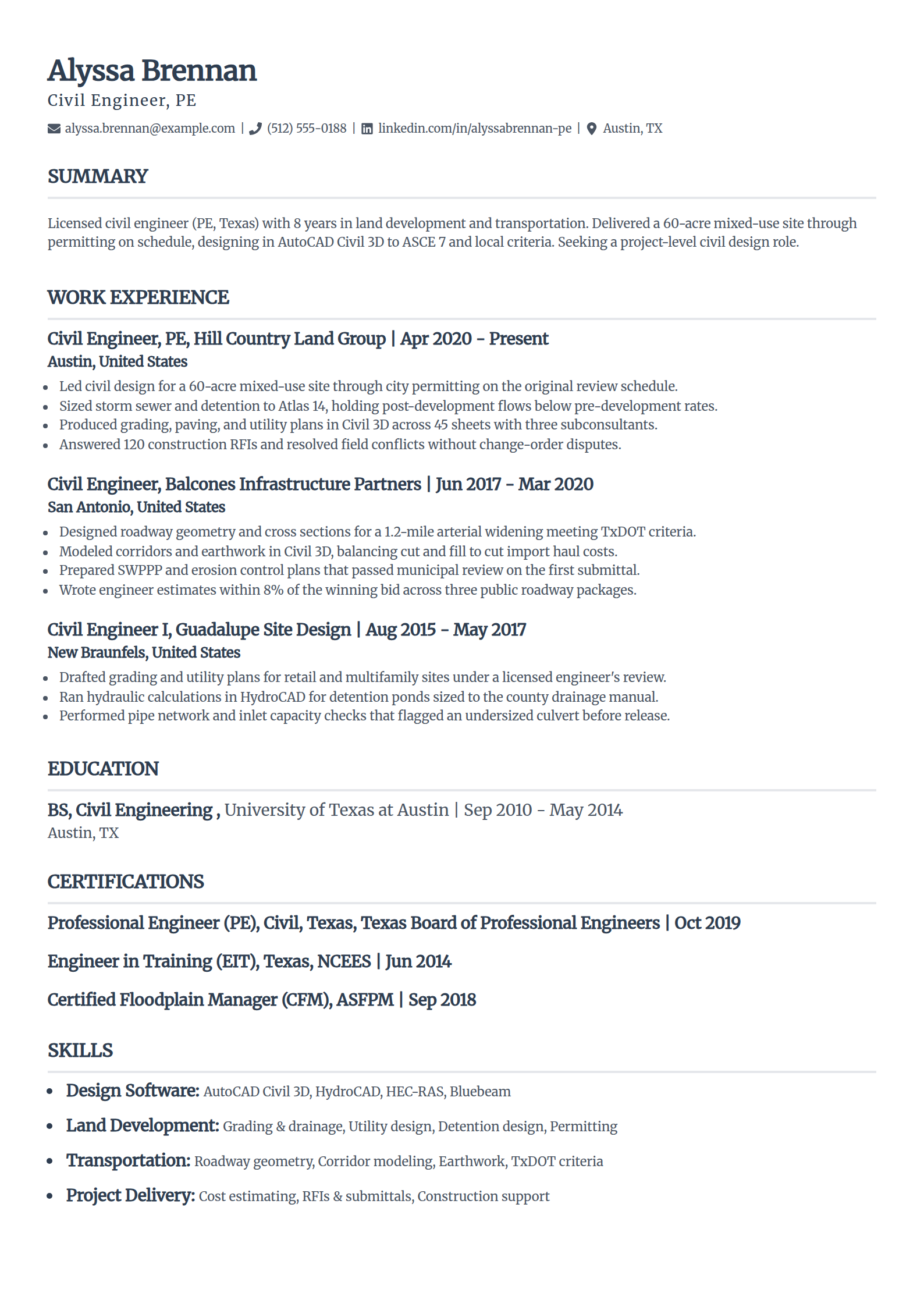
Civil Engineering Resume Template
Why this resume example works?
- Puts the PE license up front, which is a threshold requirement for stamped civil work.
- Leads with a delivered project, a 60-acre site through permitting on schedule, not a task list.
- Names AutoCAD Civil 3D and the drainage criteria, the exact terms a civil job posting uses.
- Shows agency coordination and construction support, the parts of the job juniors rarely prove.
- Carries one number per bullet so the resume reads credible rather than padded.
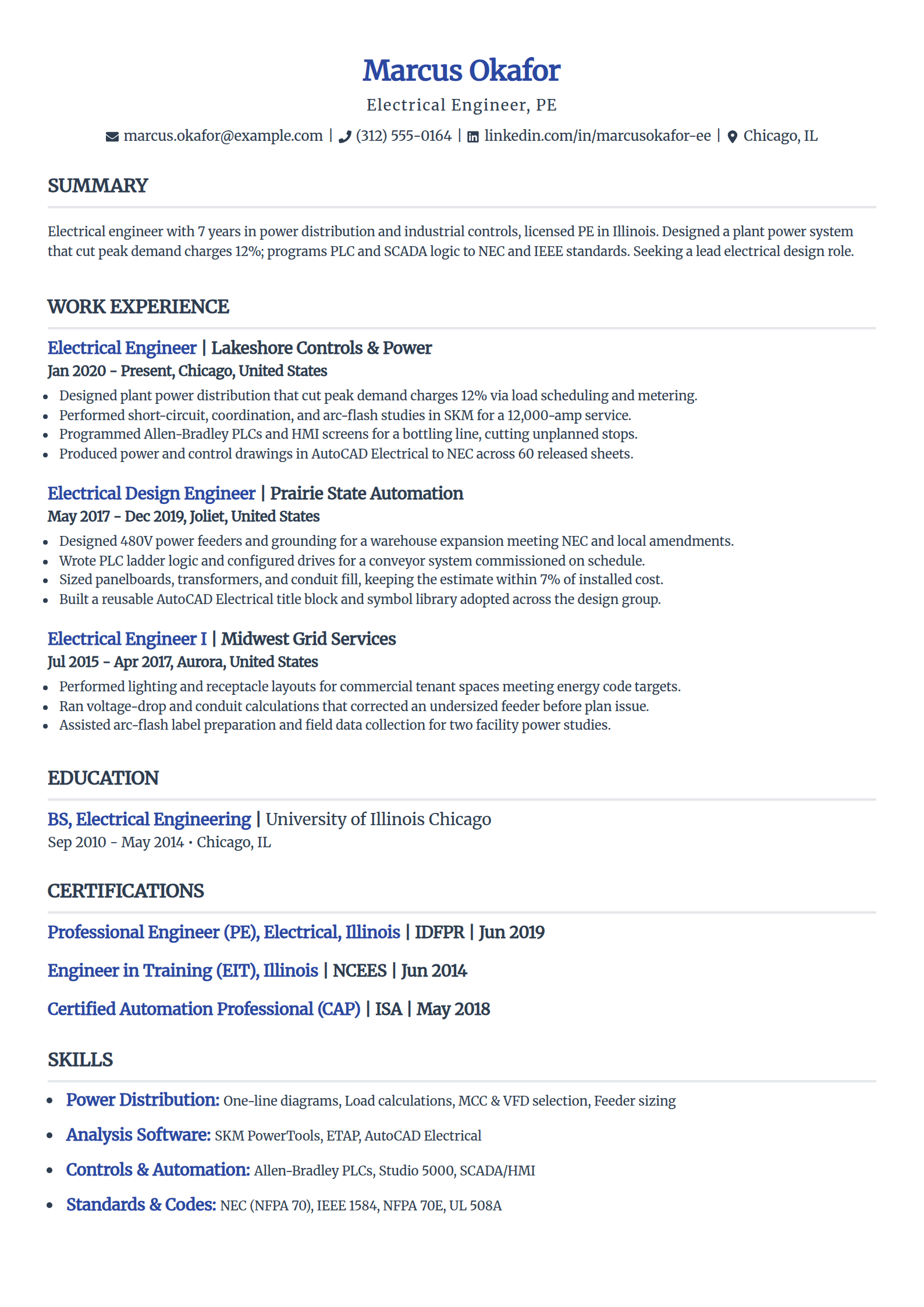
Electrical Engineering Resume Template
Why this resume example works?
- States the PE license and pairs power design with controls, the two tracks most EE postings split on.
- Opens with a demand-charge cut tied to a specific action, which reads as ownership.
- Names NEC, IEEE 1584, Allen-Bradley PLCs, and SKM, the code and tool keywords a parser looks for.
- Shows arc-flash and coordination studies, the safety work that separates a licensed EE from a drafter.
- Keeps the format plain so switchgear schedules and one-lines do not scramble in an ATS.
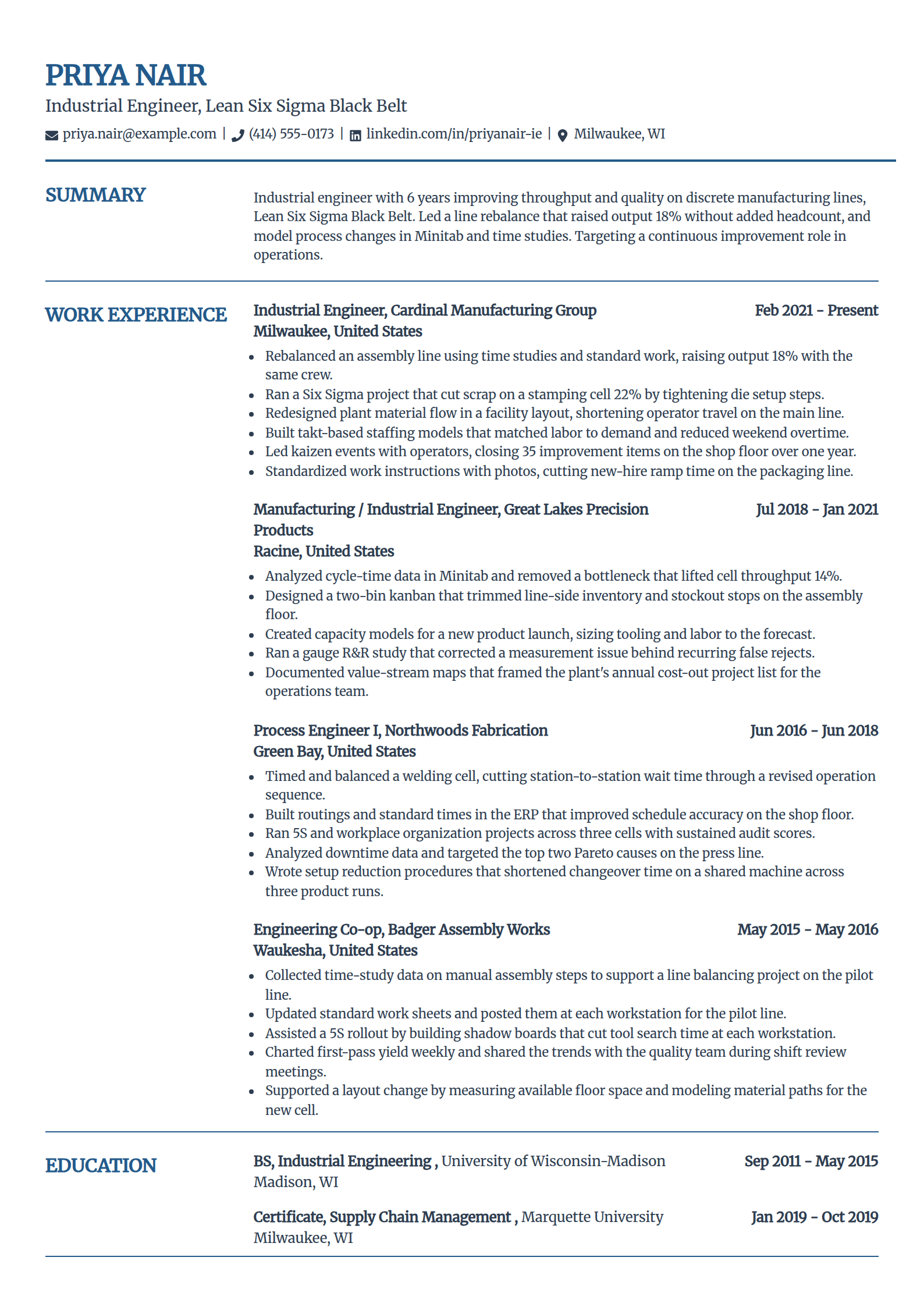
Industrial Engineering Resume Template
Why this resume example works?
- Leads with a throughput gain, 18% more output with the same crew, the result IE roles hire on.
- Names the Lean Six Sigma Black Belt and Minitab, the credential and tool a continuous-improvement posting wants.
- Shows the method behind each number: time studies, standard work, and kaizen, not just the outcome.
- Keeps metrics modest and process-focused so they read believable for a plant-floor engineer.
- Groups skills by real IE axes, from statistics to operations, so a recruiter finds the match fast.
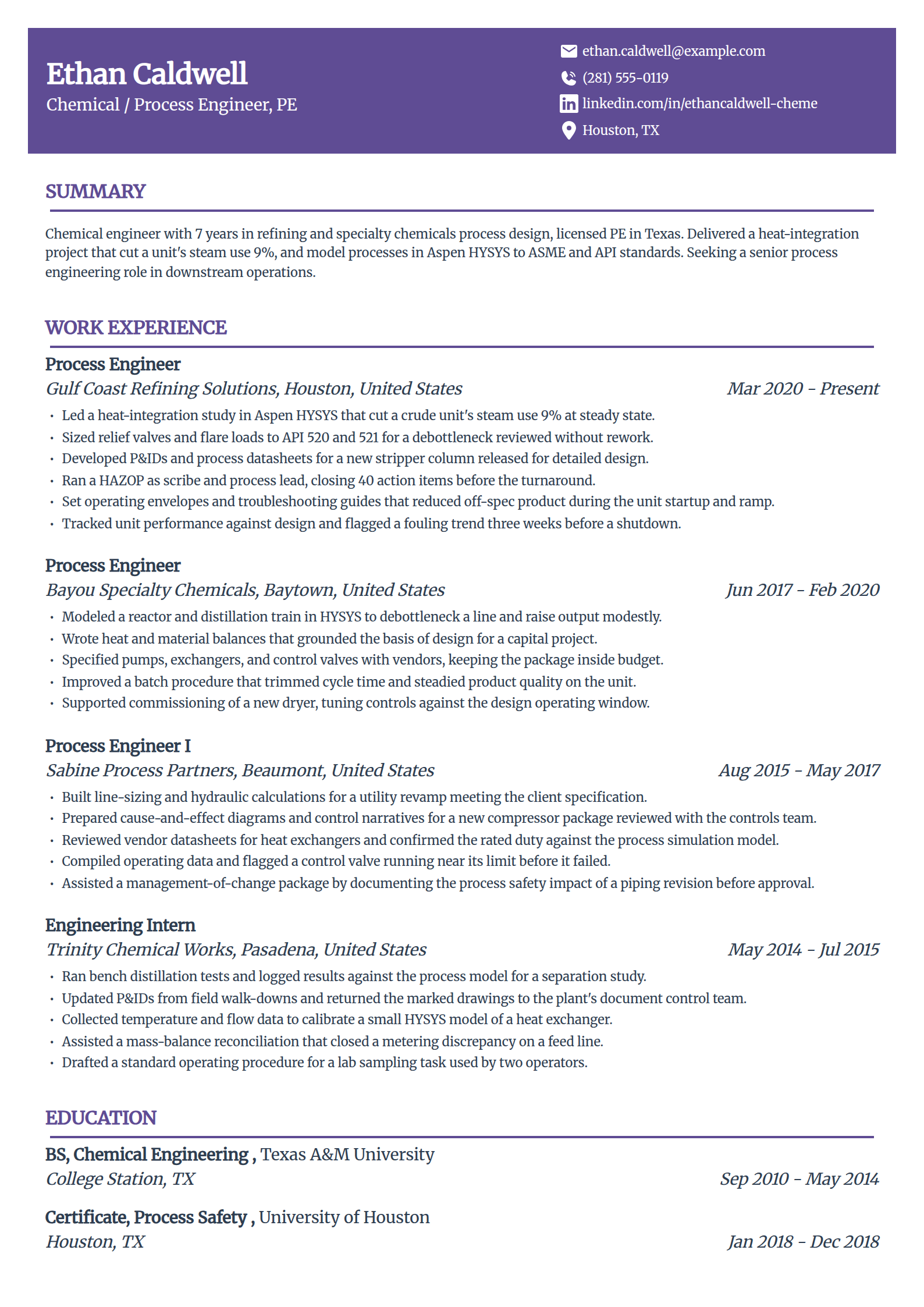
Chemical Engineering Resume Template
Why this resume example works?
- Names the PE license and a downstream focus so the refining context is clear in the first line.
- Leads with a heat-integration result, a 9% steam cut, tied to an Aspen HYSYS study.
- Names P&IDs, HAZOP, and API relief sizing, the process-safety keywords a chemical posting screens for.
- Shows commissioning and troubleshooting, proving the engineer works past design into the running unit.
- Keeps each claim grounded in a real unit so the numbers never read as marketing.
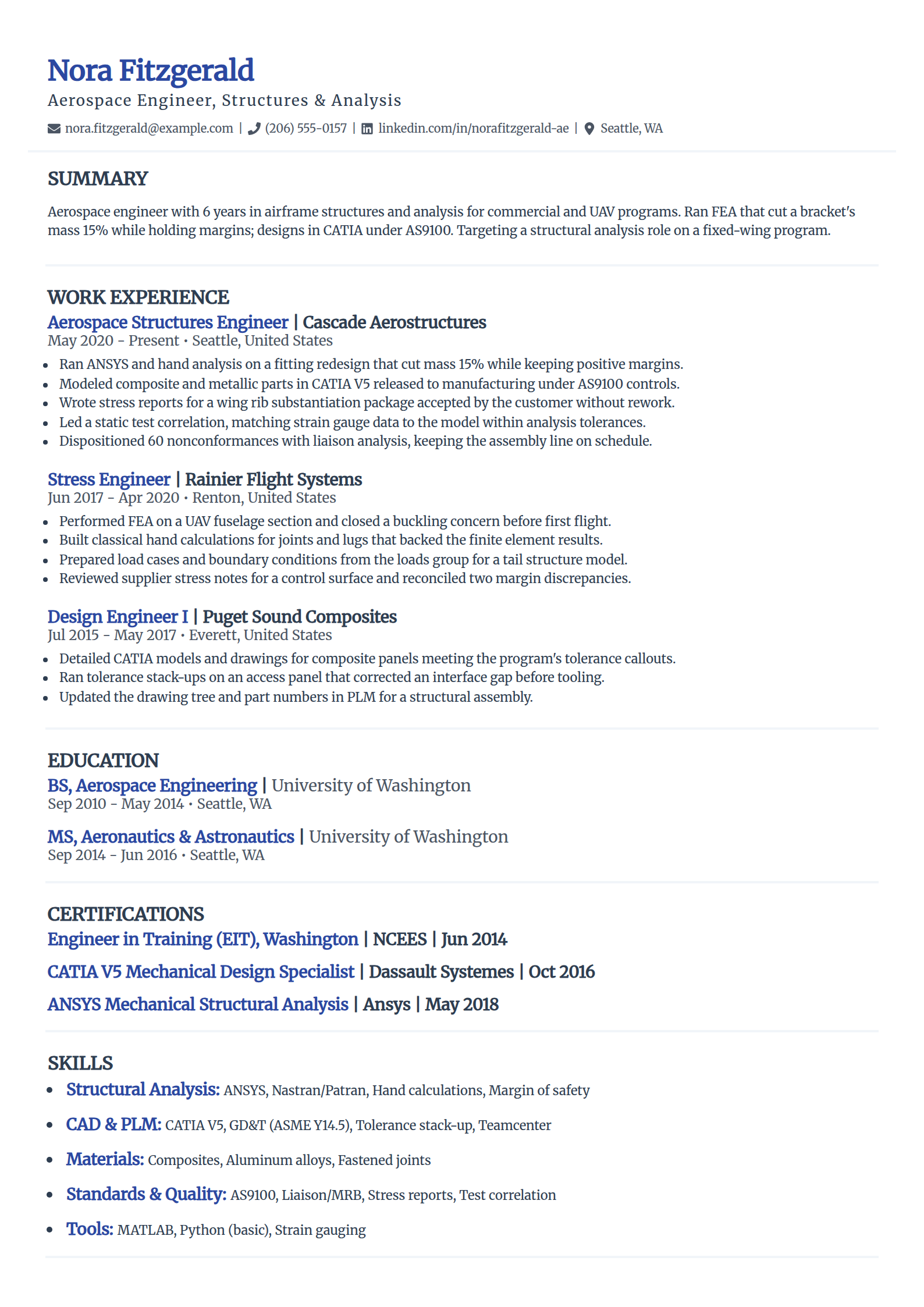
Aerospace Engineering Resume Template
Why this resume example works?
- Frames the focus as structures and analysis so the role fit is unambiguous up front.
- Leads with a mass cut, 15% on a fitting, while stating margins were held, which analysts trust.
- Names CATIA, ANSYS, hand analysis, and AS9100, the CAD, stress, and quality terms aerospace uses.
- Shows test correlation and MRB liaison work, the tasks that prove real program experience.
- Backs finite element results with classical hand calculations, the habit a stress lead looks for.
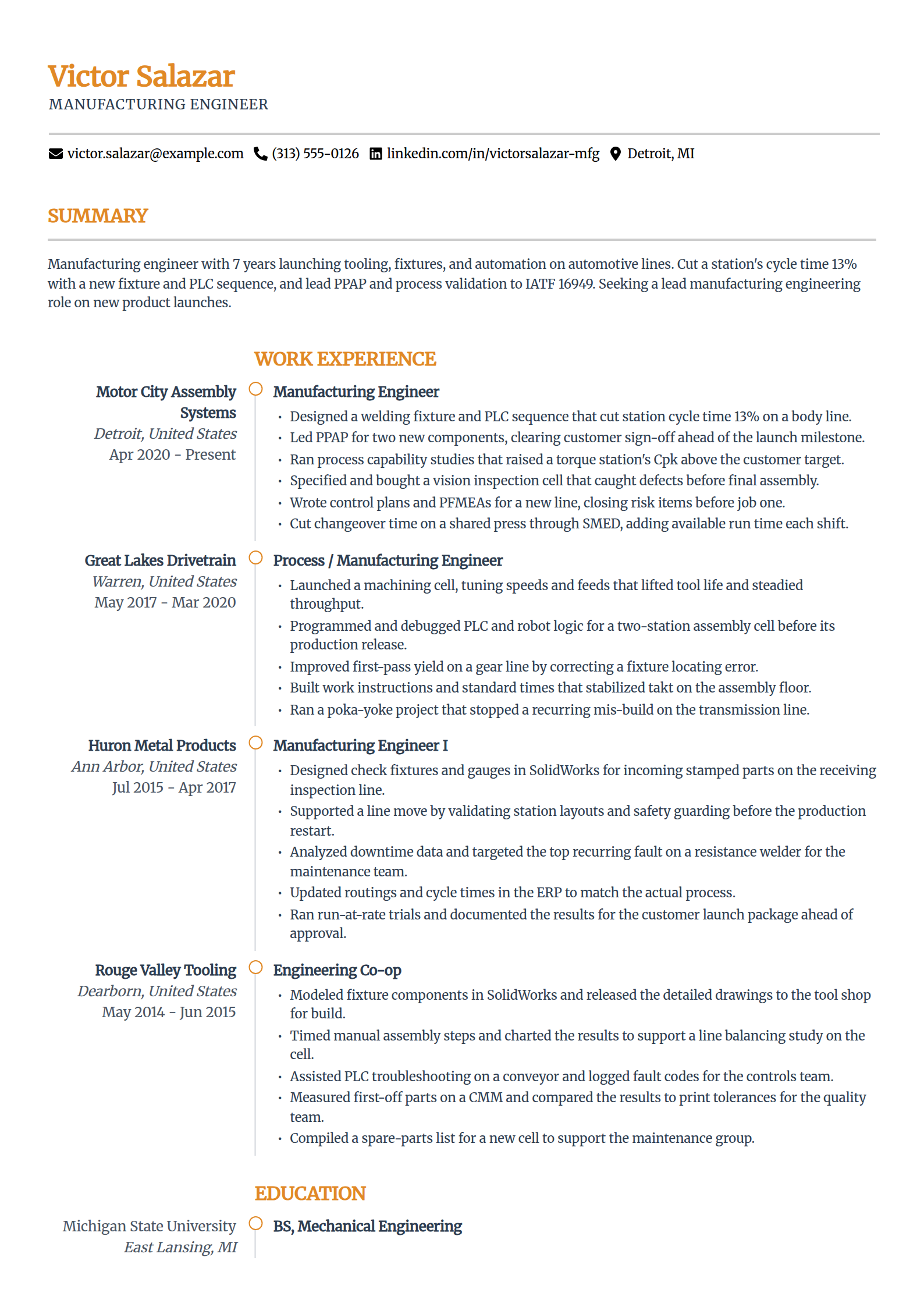
Manufacturing Engineering Resume Template
Why this resume example works?
- Opens with a cycle-time cut, 13% on a body line, the number a manufacturing role hires on.
- Names PPAP, PFMEA, IATF 16949, and FANUC, the launch and automation keywords on the posting.
- Shows tooling, fixtures, and SMED work, the hands-on scope that separates it from pure design.
- Ties a capability gain to a fixed defect, so the quality metric reads as cause and effect.
- Keeps the layout scannable so control plans and process data stay readable in an ATS.
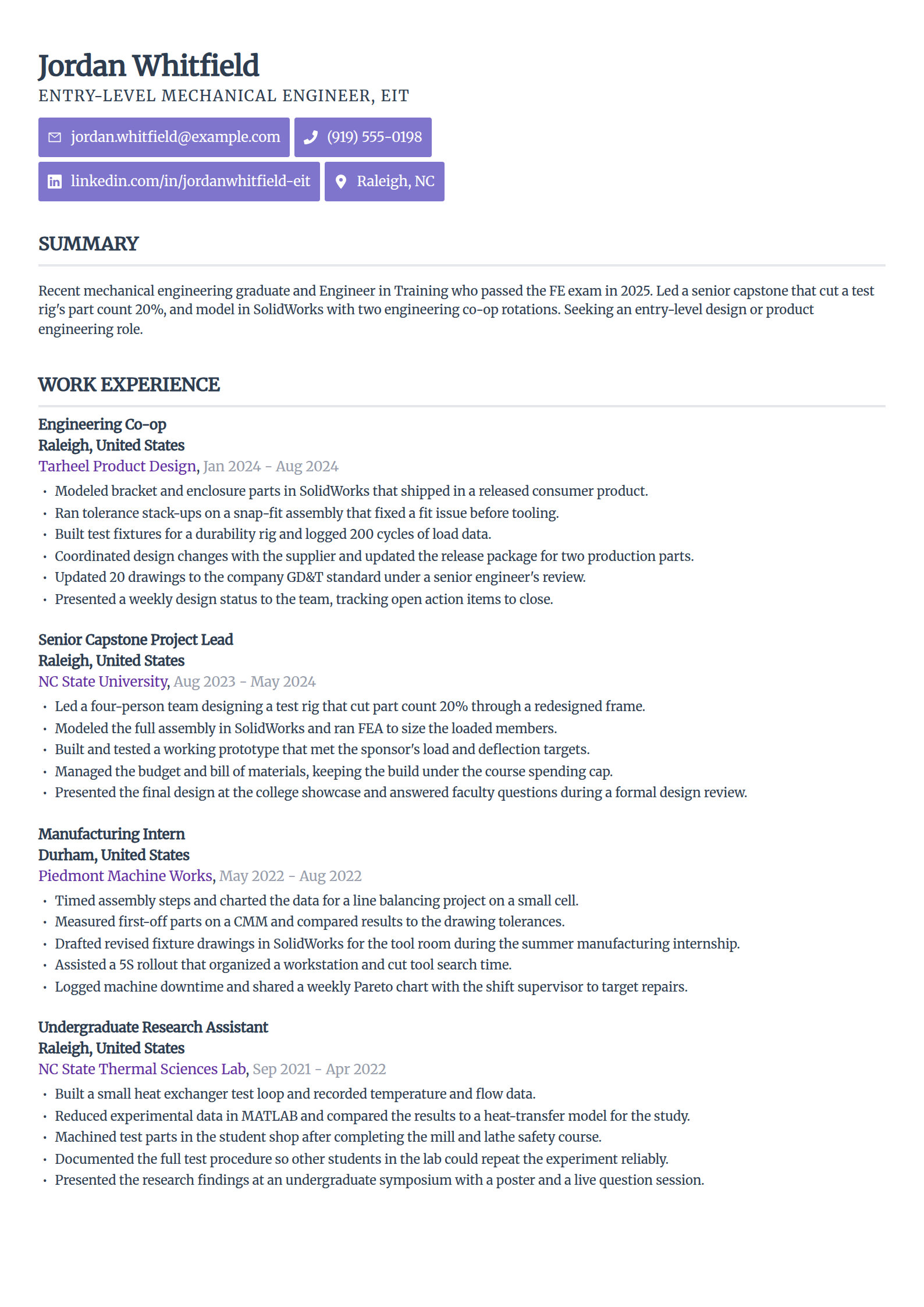
Entry-Level & Intern Engineer Resume Template
Why this resume example works?
- States the EIT and the year the FE exam passed, the correct early-career credential to lead with.
- Turns a senior capstone into real experience with a number, a 20% part-count cut on a test rig.
- Fills the page with two co-ops and lab research instead of a thin one-job history.
- Names SolidWorks, MATLAB, and GD&T so a screener sees the tools even without full-time work.
- Leads bullets with strong verbs and modest numbers that stay believable for a new graduate.
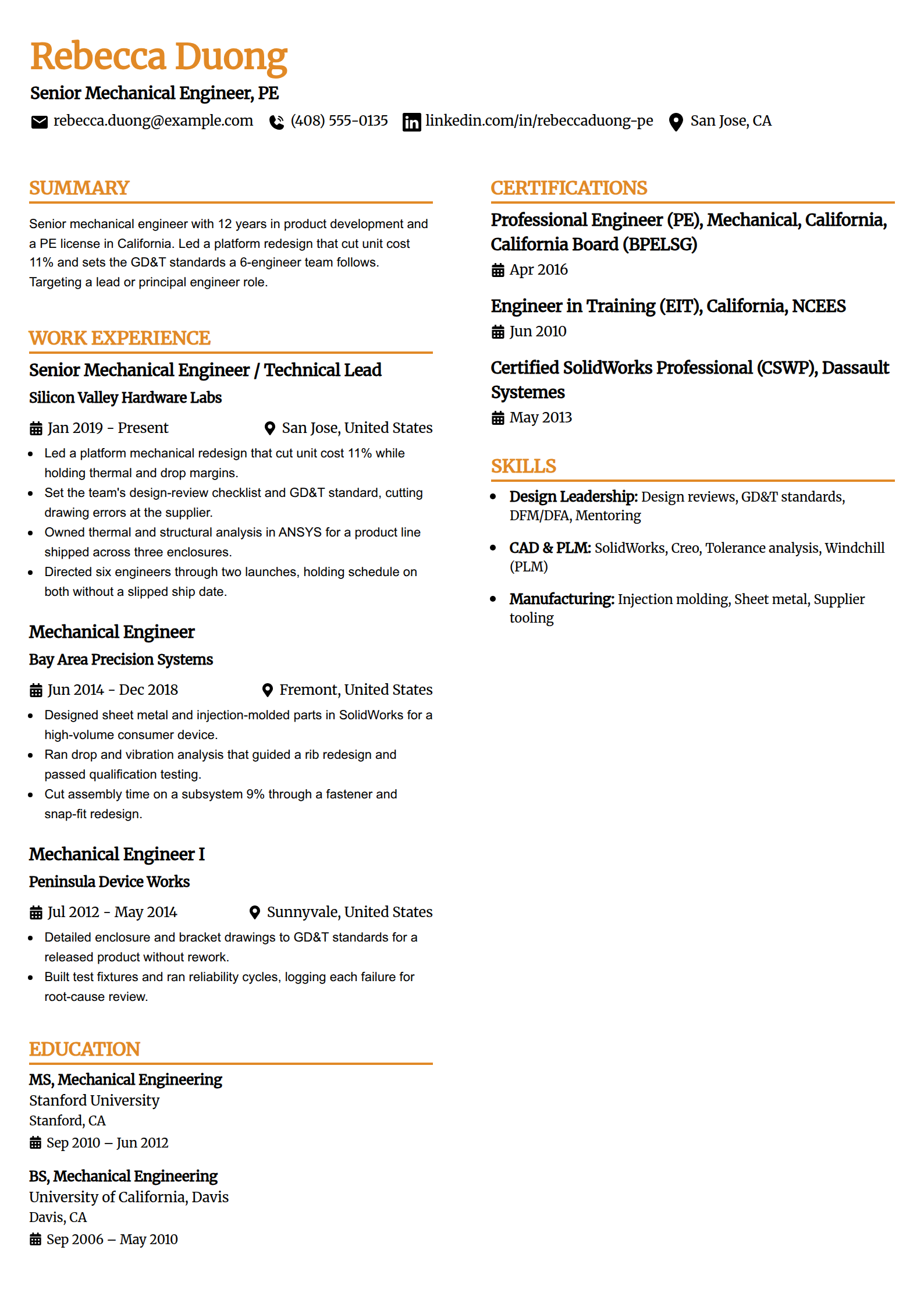
Senior & Lead Engineer Resume Template
Why this resume example works?
- Separates leadership scope, setting standards and directing six engineers, from individual design work.
- Leads with an 11% unit-cost reduction on a platform redesign, the result a senior role is judged on.
- Shows the PE license plus DFM and design-review ownership, proving depth beyond drafting.
- Names coaching three engineers into ownership, the people impact a lead is expected to have.
- Keeps early roles brief so the recent, higher-scope work carries the top of the page.
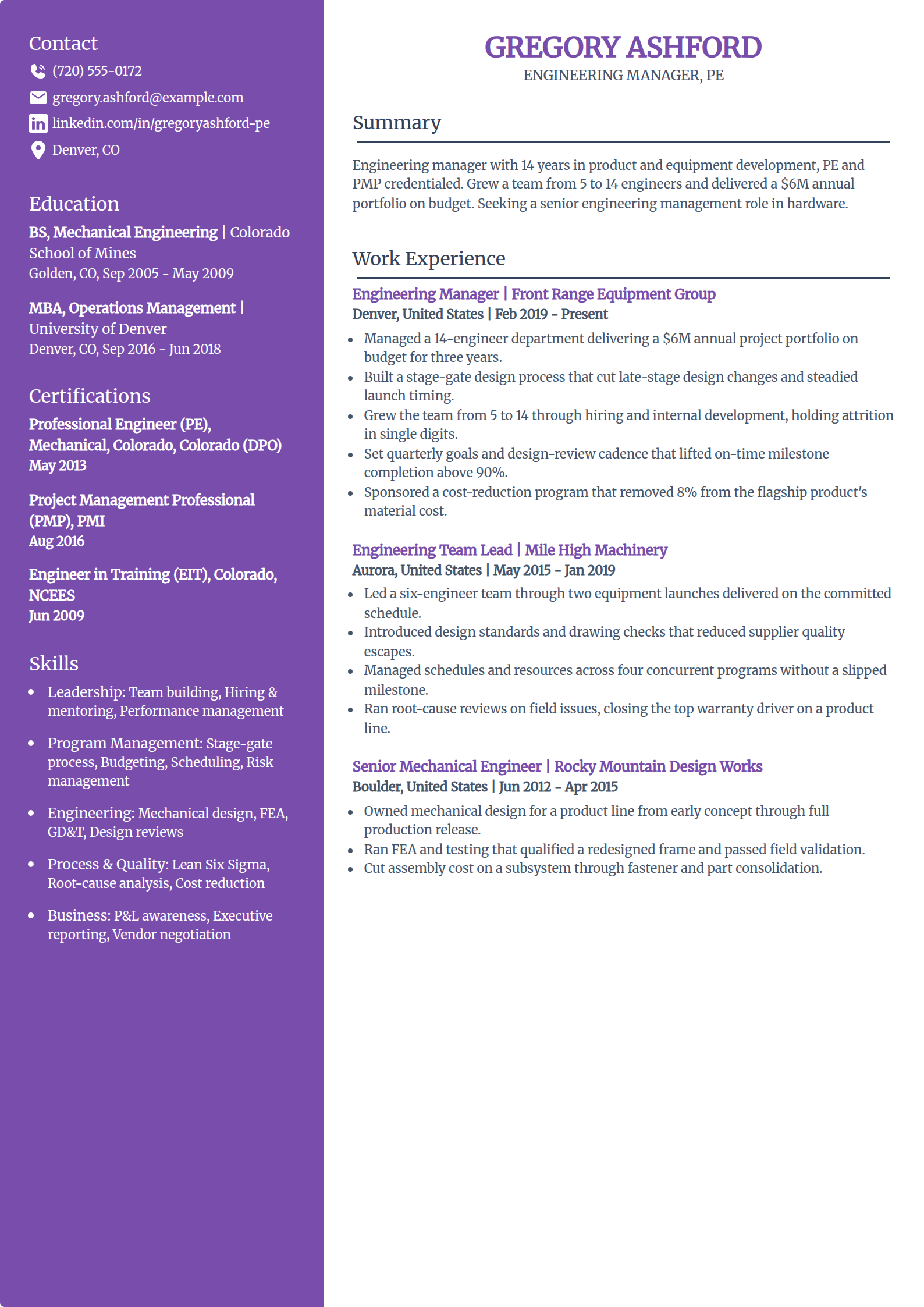
Engineering Manager Resume Template
Why this resume example works?
- Leads with team and budget scope, a 14-engineer department and a $6M portfolio, not technical tasks.
- Shows a hiring and retention result, growing the team from 5 to 14, that a director scans for.
- Names the PE, PMP, and a stage-gate process, pairing engineering depth with management credentials.
- Ties on-time milestone gains to a specific cadence, so the leadership metric reads as method.
- Keeps hands-on engineering roles at the bottom to show the path without crowding the manager story.
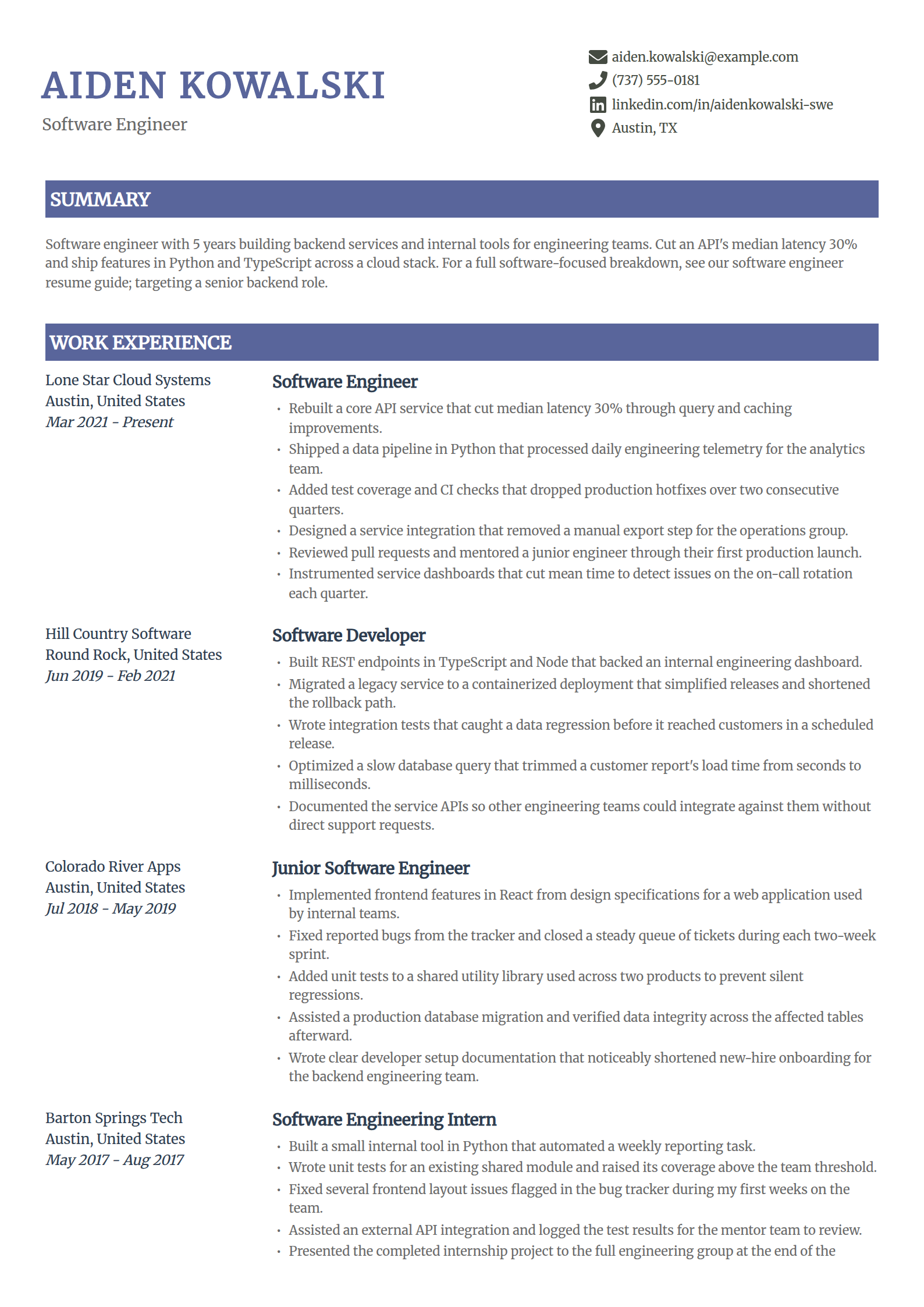
Software Engineer Resume Template
Why this resume example works?
- Leads with a latency cut, 30% on a core API, the kind of impact a backend role screens for.
- Names Python, TypeScript, AWS, and Docker, the stack keywords an ATS matches on directly.
- Keeps software engineering deliberately brief here; the software engineer resume summary page linked below covers that role in depth.
- Shows testing, CI, and mentoring, the habits that separate a mid-level engineer from a junior.
- Keeps the format clean so a recruiter and a parser both read the stack without losing sections.
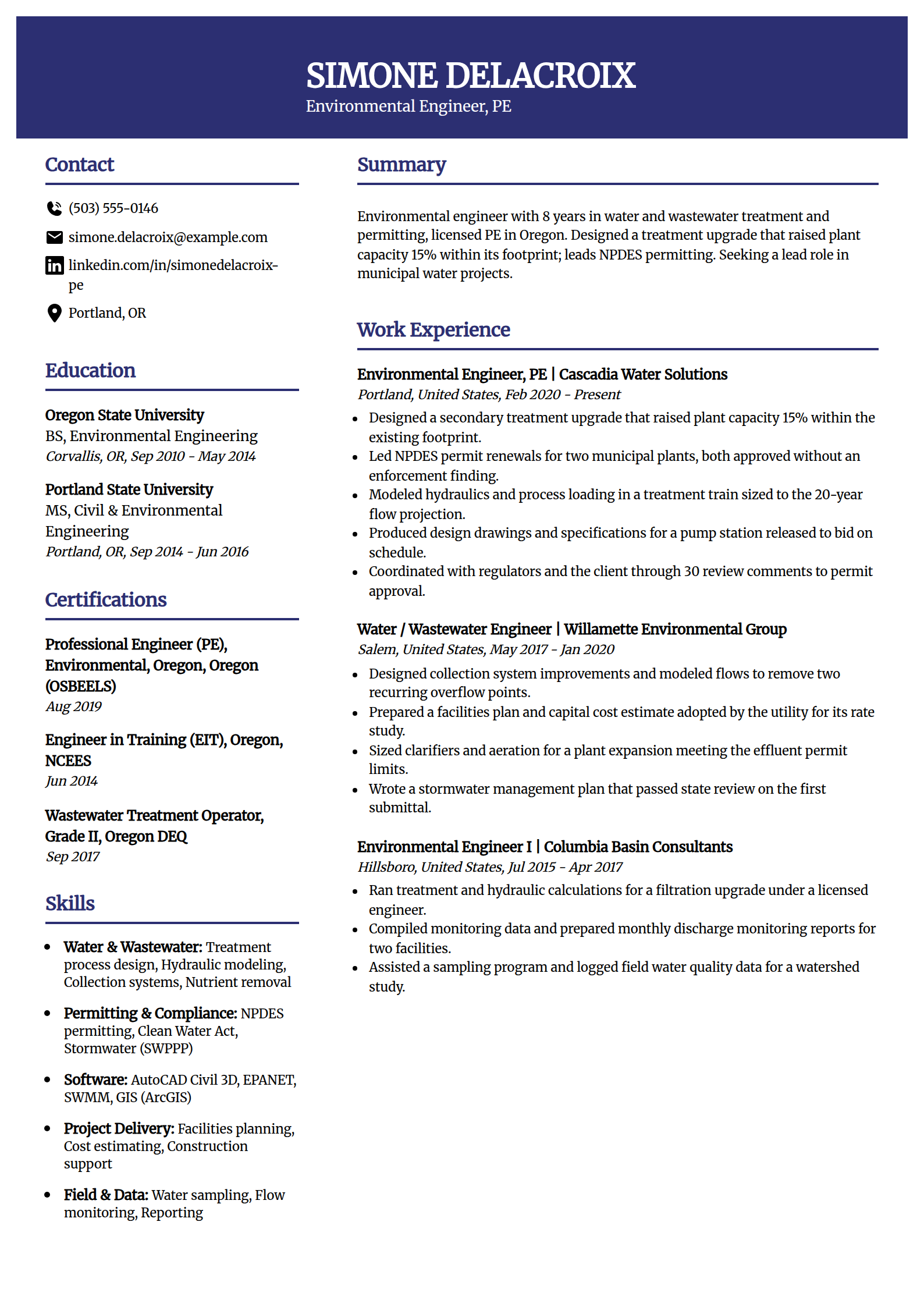
Environmental Engineering Resume Template
Why this resume example works?
- States the PE license and a water and wastewater focus so the specialty is clear immediately.
- Leads with a capacity gain, 15% within the existing footprint, tied to a treatment upgrade.
- Names NPDES permitting and the Clean Water Act, the compliance terms an environmental posting uses.
- Shows regulator coordination and permit approvals, the outcomes that prove the work landed.
- Names EPANET, SWMM, and Civil 3D so the modeling tools are visible to a screener.
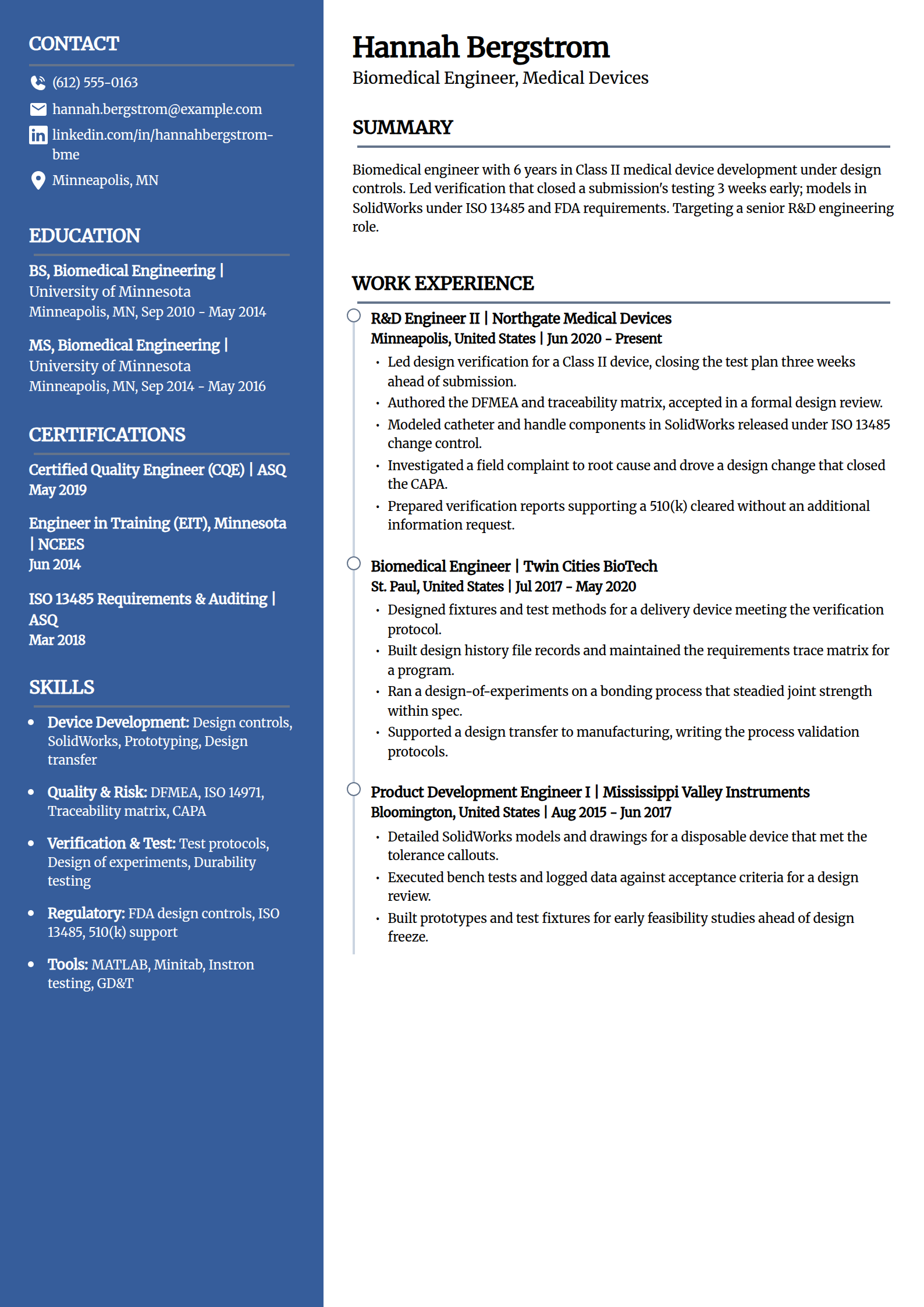
Biomedical Engineering Resume Template
Why this resume example works?
- Frames the work as Class II device development under design controls, the regulated context employers want.
- Leads with a verification effort closed three weeks early, a schedule result a program manager values.
- Names ISO 13485, FDA design controls, DFMEA, and 510(k) support, the exact quality keywords on the posting.
- Shows a field complaint driven to a CAPA closure, proving ownership past the design phase.
- Keeps the metrics device-appropriate so nothing reads out of scope for an R&D engineer.
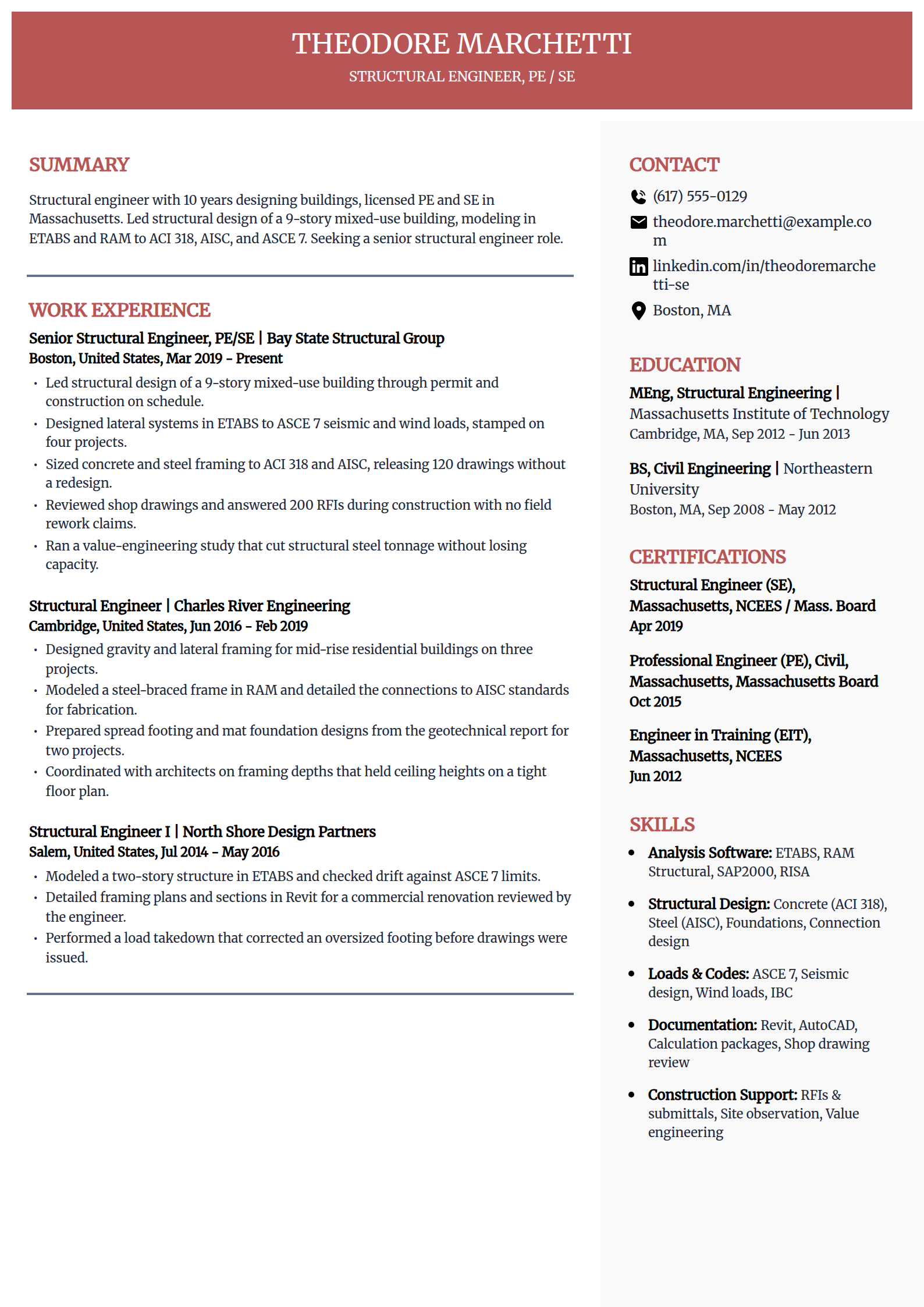
Structural Engineering Resume Template
Why this resume example works?
- Puts both the PE and SE licenses up front, the credentials a building-structures role requires.
- Leads with a delivered 9-story building, a project outcome that outweighs any single calculation.
- Names ETABS, RAM, ACI 318, AISC, and ASCE 7, the software and code keywords a screener matches.
- Shows a steel-tonnage value-engineering win, tying an analysis skill to a real cost result.
- Carries construction-phase RFIs and shop-drawing review, the work that proves projects were built.
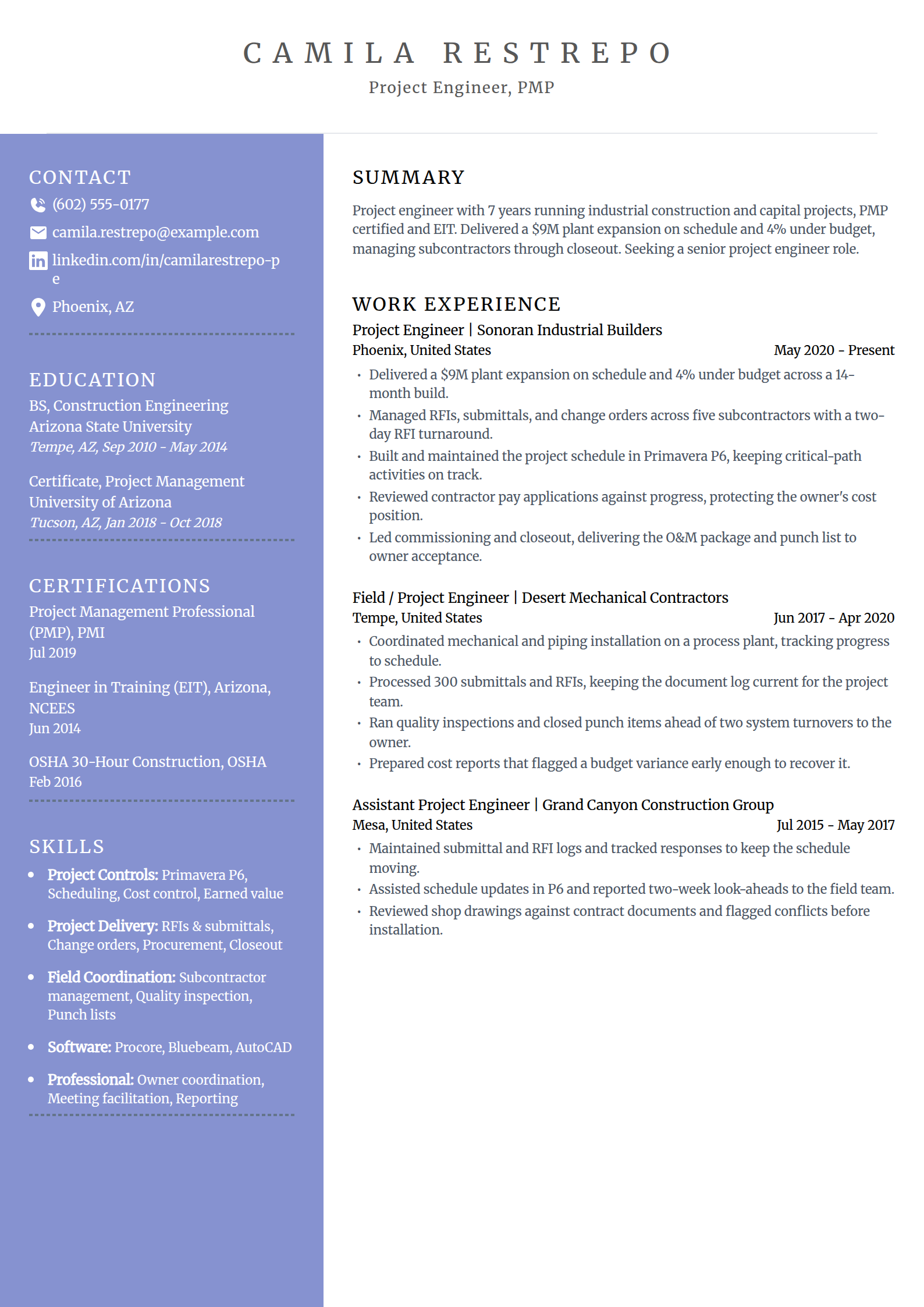
Project Engineer Resume Template
Why this resume example works?
- Leads with a delivered project, a $9M expansion on schedule and under budget, not a duty list.
- Names Primavera P6, RFIs, submittals, and change orders, the project-controls keywords on the posting.
- Shows the PMP and EIT together, pairing project management with an engineering foundation.
- Carries commissioning and closeout, proving the engineer takes a job all the way to owner acceptance.
- Keeps one number per bullet so the cost and schedule claims stay concrete and checkable.
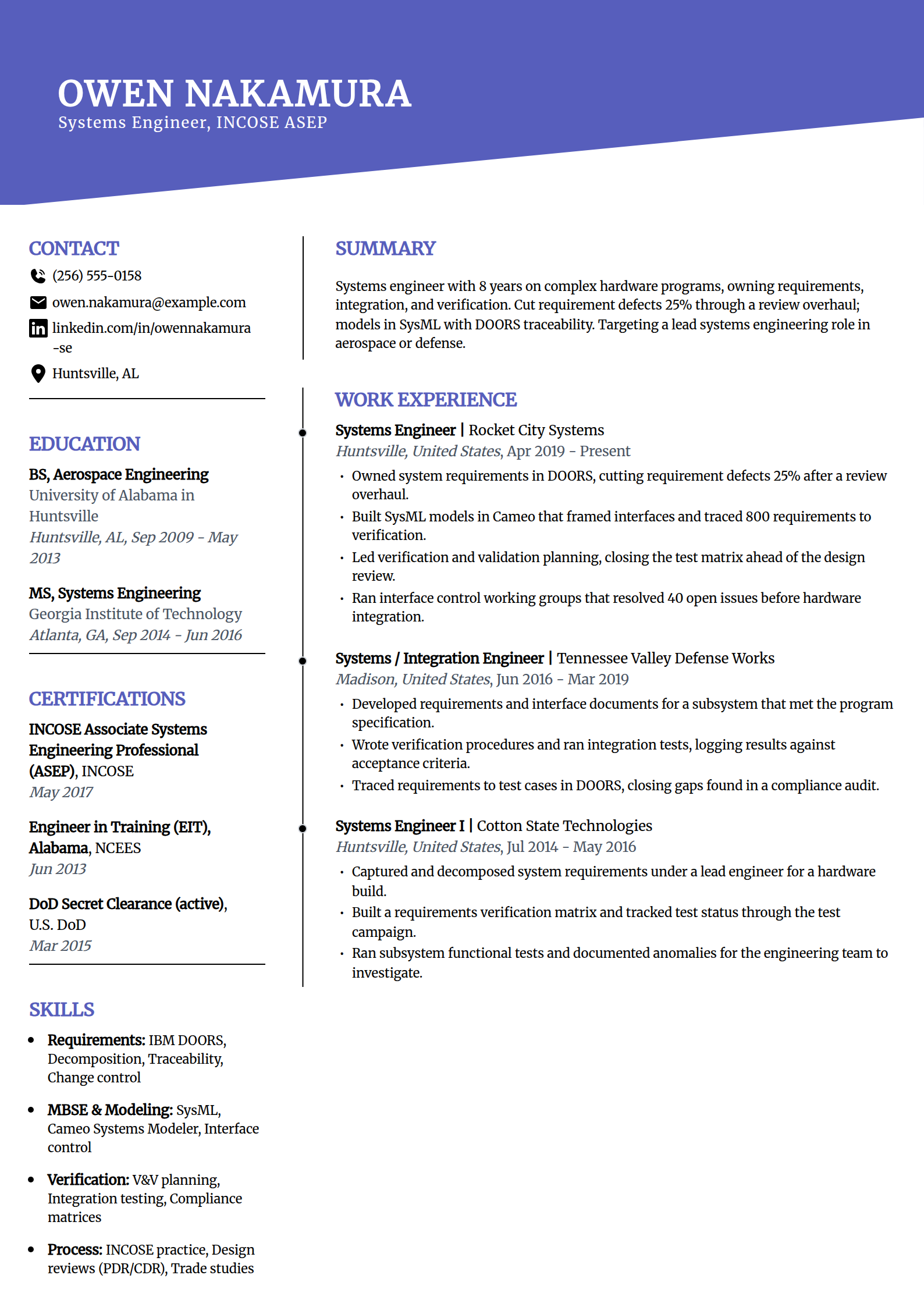
Systems Engineer Resume Template
Why this resume example works?
- Frames the scope as requirements, integration, and verification, the systems-engineering core.
- Leads with a 25% cut in requirement defects tied to a specific review overhaul.
- Names DOORS, SysML, Cameo, and INCOSE practice, the MBSE keywords a systems posting screens for.
- Shows interface working groups and a closed test matrix, the work that proves program experience.
- Notes an active clearance in the sidebar, a real hiring gate for defense and aerospace systems roles.
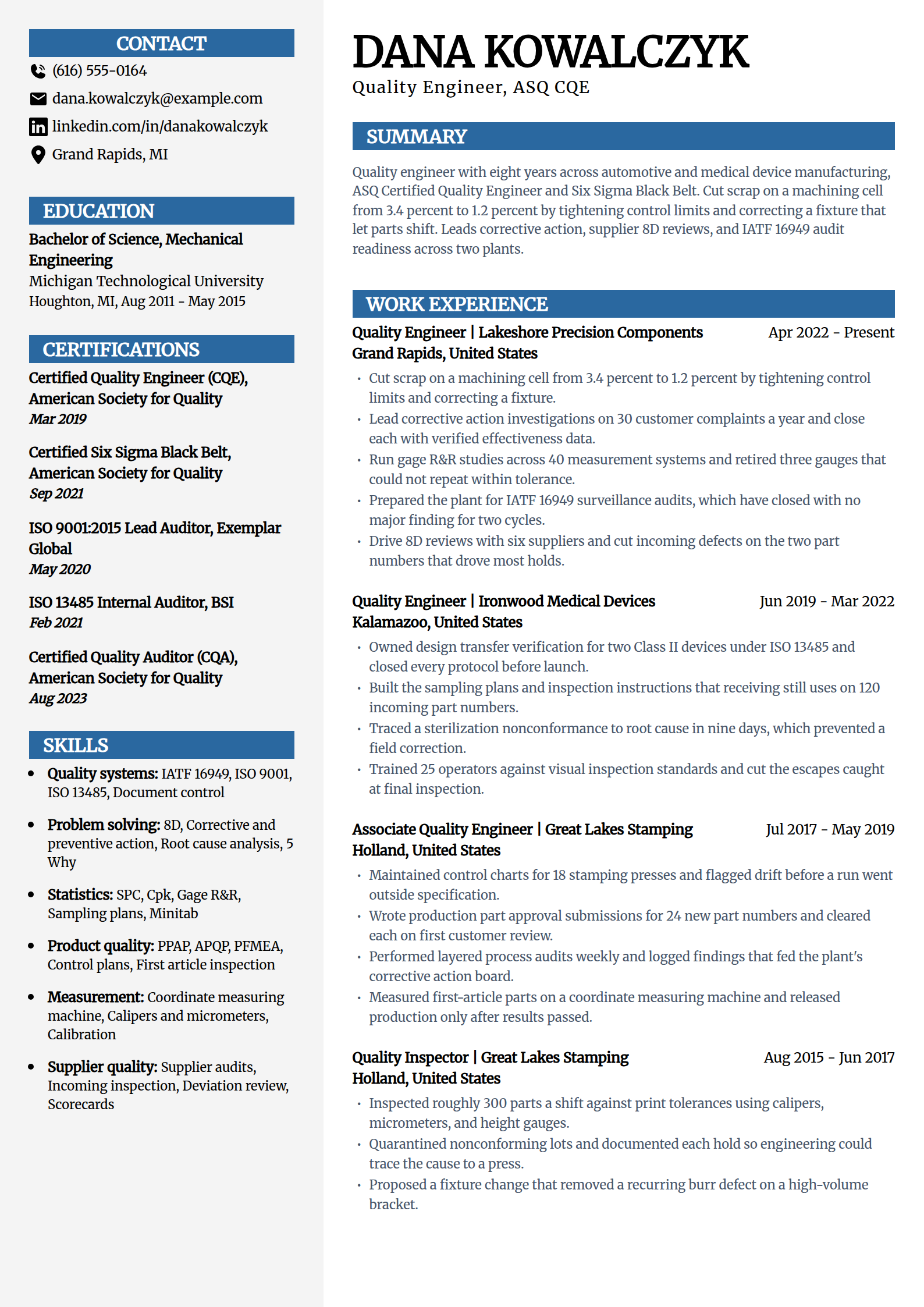
Quality Engineer Resume Template
Why this resume example works?
- Leads with the number a quality desk is judged on, scrap cut from 3.4% to 1.2%, with the cause named.
- Names the CQE, a Six Sigma Black Belt, and an ISO 9001 lead auditor certificate, the credentials a quality posting screens for.
- Keeps quality scope separate from process scope: gage R&R, corrective action, and audits, not cycle time and tooling.
- States the audit record plainly, two IATF 16949 surveillance cycles closed with no major finding.
- Shows the climb from inspector to engineer, which reads as someone who knows the floor the parts come off.
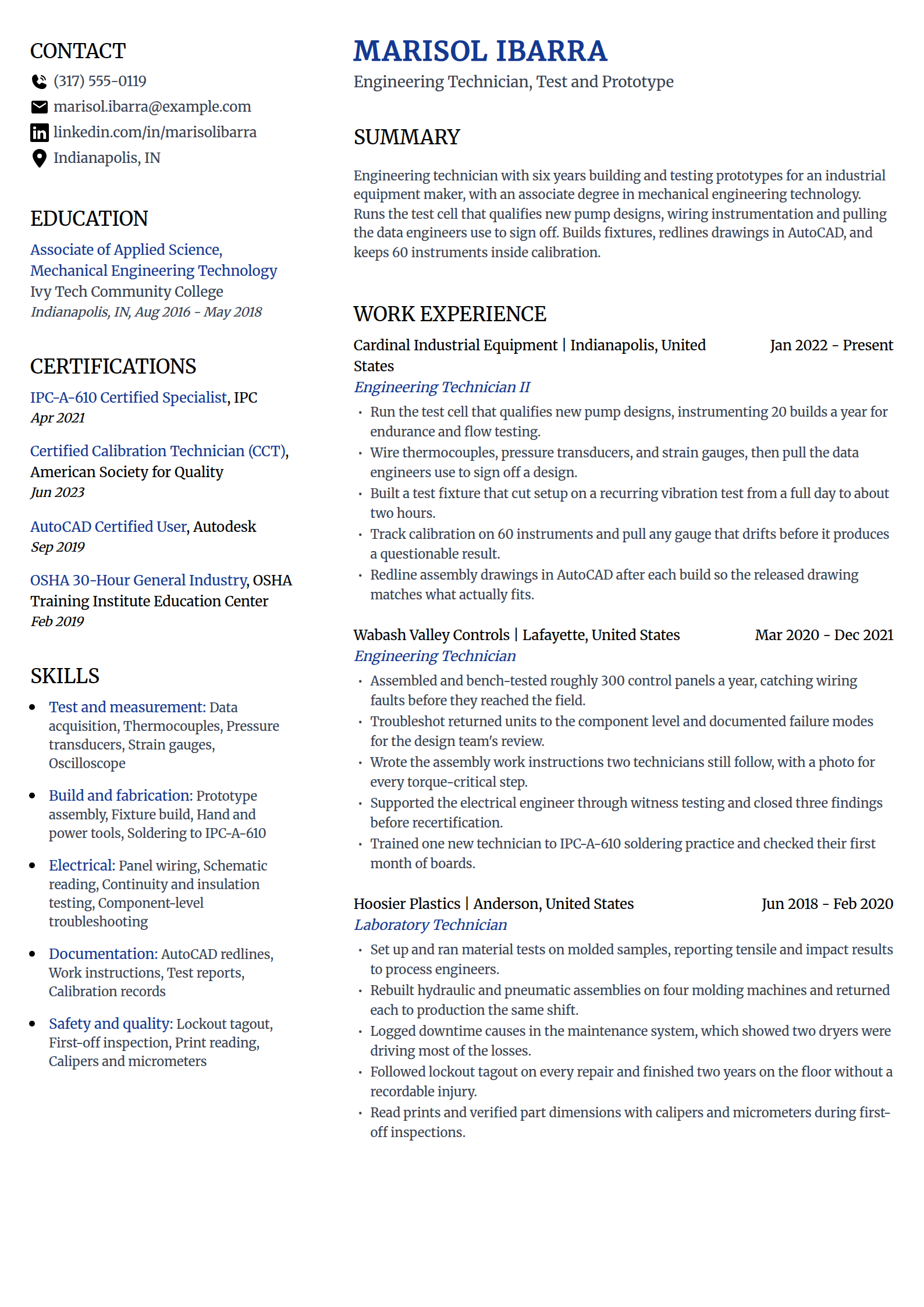
Engineering Technician Resume Template
Why this resume example works?
- Puts the associate degree in engineering technology up front, the credential this role actually hires on.
- Shows the bench work a posting lists, instrumenting 20 builds a year for endurance and flow testing.
- Names the instruments outright, thermocouples, pressure transducers, and strain gauges, plus AutoCAD redlines.
- Proves initiative with a fixture that cut a recurring test setup from a full day to about two hours.
- Keeps calibration tracking and lockout tagout on the page, the discipline that makes a technician trusted with test data.
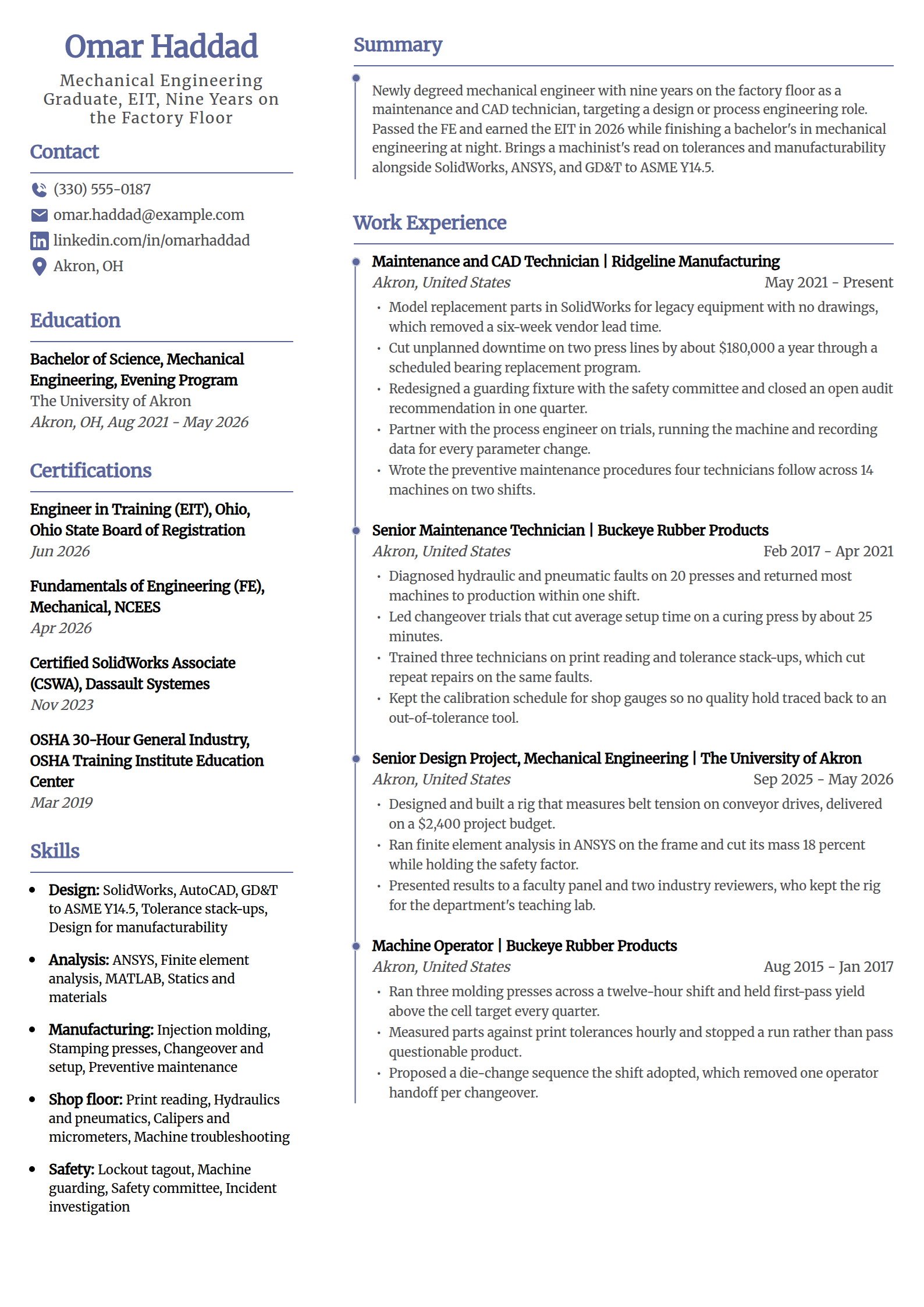
Career-Change Engineering Resume Template
Why this resume example works?
- Names the target role in the first line and treats nine years on the floor as engineering experience, not a gap.
- Puts the FE and the EIT with their dates where a screener looks for license status.
- Carries the senior design project as a full entry, with an ANSYS mass cut and a $2,400 budget.
- Keeps one real engineering number from the floor, about $180,000 a year of downtime removed on two press lines.
- Uses a layout that holds four entries so the degree, the project, and the work history all fit one page.
Build your engineering resume
Pick a template above and the editor keeps the layout parser-safe while you swap in your own discipline, licensure, tools, and numbers.
Build my resumeHow to write an engineering resume in 2026
An engineering resume gets read twice: a fast human skim for scope and results, then an ATS keyword match against the posting. These moves satisfy both without padding.
Lead with a summary that names your discipline, license, and one number
Write two to three sentences that open with your title and discipline, state your PE or EIT status, and land on one result a hiring manager cares about. New graduates use the same shape with a capstone or co-op number in place of years.
Mechanical engineer with 6 years in building systems, licensed PE in Ohio, who cut a chiller plant's energy use 14% through a redesigned control sequence.
Put licensure where a recruiter looks first
Engineering credentials are a screen, not a footnote. State them precisely near the top and never bury them at the bottom.
- Licensed: write "Professional Engineer (PE), Mechanical, Texas" with the state, and keep the license number off the resume.
- On the path: write "Engineer in Training (EIT)" or "FE passed" with the year, and note the PE exam date if it is scheduled.
- Structural roles: list the SE separately from the PE, since many building-department submittals require it.
Quantify impact with the numbers your field actually tracks
Lead each bullet with a verb, then attach the result. Engineering impact is measurable, so use the metric your discipline owns.
- Cost and schedule: cut unit cost 11%, delivered a $9M project on budget, or trimmed cycle time 13%.
- Quality and yield: raised first-pass yield, lifted a station's Cpk above target, or cut scrap on a cell.
- Performance: reduced mass 15% while holding margins, or cut a plant's energy use through a control change.
Name your tools and the codes you design to
An applicant tracking system matches the exact software and standard the posting lists, so write them out by name where they are true.
- CAD and simulation: SolidWorks, AutoCAD, CATIA, Creo, Revit, ANSYS, MATLAB, and Aspen HYSYS.
- Codes and standards: ASME, IEEE and NEC, ASCE 7, ACI 318, AISC, API, IATF 16949, and ISO 13485.
- Controls and systems: Allen-Bradley PLCs, Studio 5000, DOORS, SysML, and Primavera P6.
Keep the format ATS-safe
Engineering resumes get filtered by software before a person sees them. A clean single-column layout keeps your data readable.
- Skip tables, columns of icons, and text boxes that scramble in a parser, and put a Credentials and Technical Skills block in the top third.
- Keep your name and contact details in the body, not the header or footer, so nothing is lost.
- Save as a PDF unless the application asks for a Word document, and run the draft through the ATS resume checker before you send it.
Common engineering resume mistakes
- Burying your PE, SE, or EIT status at the bottom. Licensure is a screen; put it in the header or summary with the state.
- Listing duties instead of results. "Performed FEA" is a task; "ran FEA that cut a bracket's mass 15% while holding margins" is proof.
- Naming a generic "CAD" or "analysis software" instead of the exact tool. Write SolidWorks, ANSYS, Civil 3D, or ETABS so the ATS matches.
- Stuffing every possible keyword, sometimes in hidden text. Modern parsers flag it, and the tools you claim should also appear in your bullets.
- Using a two-column, icon-heavy template for a submittal that a parser cannot read cleanly, then wondering why the application stalls.
Frequently asked questions
What should an engineering resume include?
A two to three sentence summary that names your discipline, license status, and one result; a work section where every bullet leads with a verb and a number; your licensure and certifications; a technical skills block that names your tools and the codes you design to; and your education. Keep it to one page unless you have more than about ten years to show, and put credentials in the top third.
How do I put my PE license or EIT status on a resume?
Put it near the top, in the header or summary, not buried in a certifications list. For a license, write "Professional Engineer (PE), Civil, Texas" with the discipline and state, and keep the license number off the resume itself. If you are on the path, write "Engineer in Training (EIT)" or "FE passed" with the year, and add the PE exam date only if it is actually scheduled.
What skills should I list on an engineering resume?
Balance the tools you use with the standards you work to, and name both outright. List your CAD and simulation software (SolidWorks, AutoCAD, CATIA, ANSYS, Revit, MATLAB), the codes for your discipline (ASME, IEEE and NEC, ASCE 7, ACI 318, AISC, API), and any controls or systems tools such as PLCs, DOORS, or Primavera P6. Make sure the tools in your skills block also appear in your experience bullets.
Which resume template is best for an engineer?
A clean single-column template with standard headings, such as Standard, Classic, or Simple above. Those layouts parse cleanly in applicant tracking systems and keep your license, tools, and dates where a recruiter expects them. Save the visually rich, two-column formats for a portfolio; for the application itself, a template only helps by staying out of the parser's way.
How long should an engineering resume be?
One page for students, interns, and engineers with under about ten years of experience. Two pages are fine for senior engineers, managers, and licensed engineers with a long project list, but only if the second page earns its space with real results. Cut old coursework and duty-style bullets before you add a page.
How do I write an engineering resume with no experience?
Lead with your EIT or FE status and your strongest project. Fill the page with your senior capstone, co-ops, internships, and lab or research work, and give each one real bullets with a number, such as a part-count cut or a test result. Name the tools you have used (SolidWorks, MATLAB, GD&T) so a screener sees them even without a full-time role, and keep the summary focused on the discipline you are targeting.
More engineering resume resources
Build your engineering resume
Pick a template above and the editor keeps the layout parser-safe while you swap in your own discipline, licensure, tools, and numbers.