ATS-friendly resume templates a parser can actually read
Free, single-column templates built to be read cleanly by an applicant tracking system. Below: the four cleanest layouts to start from, the five things that make a template ATS-safe, and the formatting that quietly breaks parsing.
Key takeaways
- An ATS-friendly template is one an applicant tracking system can read into fields cleanly: a single column, standard headings, and a common font, with nothing in the body a parser has to guess at.
- Most systems rank and filter resumes rather than auto-reject them. A messy template rarely gets you thrown out; it scrambles a section so your resume never ranks well, which has the same result more quietly.
- The five things that decide it: one column, standard section names, a readable font at 10-12pt, no tables or text boxes, and no information trapped inside an image or icon.
- A clean template only protects strong content. It cannot rank weak content, so match the words to the posting before you worry about the design.
- Save as PDF when the posting is silent, and make sure the PDF is text-based rather than a scanned image so a parser can still read it.
What makes a resume template ATS-friendly
An applicant tracking system does one job with your file: it reads the text into fields like name, title, and work history so a recruiter can search and sort applicants. A template is ATS-friendly when it hands the parser clean text in the order it expects, with nothing in the way. Five things decide that.
One column, top to bottom
A single-column layout reads in the one order a parser expects. Two-column designs built with a table get read cell by cell, so your dates and job titles can land in the wrong place.
Standard section headings
Name your sections Work Experience, Education, and Skills. A parser is trained to find those exact labels. Clever headings like "Where I've Made an Impact" can leave a whole section unread.
A common font at 10-12pt
Arial, Calibri, Times New Roman, or Georgia at 10-12pt render everywhere and stay legible. Decorative or very light fonts can drop characters when the text is extracted.
No tables or text boxes
Tables and text boxes are the most common reason text comes out jumbled. Lay the page out with plain paragraphs and bullet lists so the content flows in reading order.
Nothing hidden in an image
Icons, charts, logos, and photos are invisible to a parser. Anything shown only as a graphic (a skills bar, a contact icon) is lost, so keep every fact as real text.
Meet those five and any design choice on top is fine. Miss one and a section can come out garbled, no matter how good the resume looks to you. You can paste a draft into our free ATS resume checker to see exactly how a parser reads each section before you apply.
The cleanest ATS-safe templates to start from
Each template below uses a single-column layout, standard headings, and a readable font, so it parses cleanly out of the box. Start from one in the editor, then swap in your own experience without touching the structure.
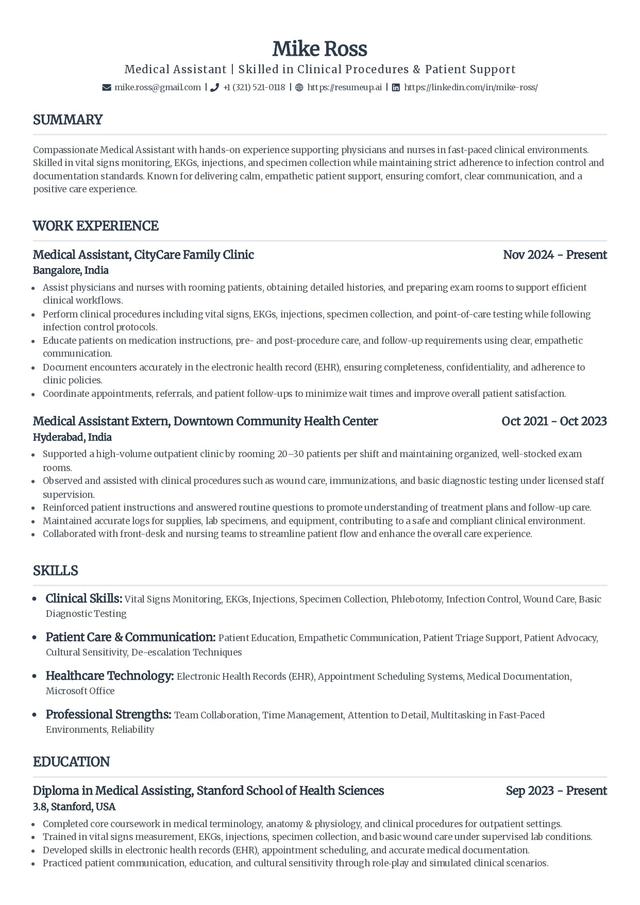
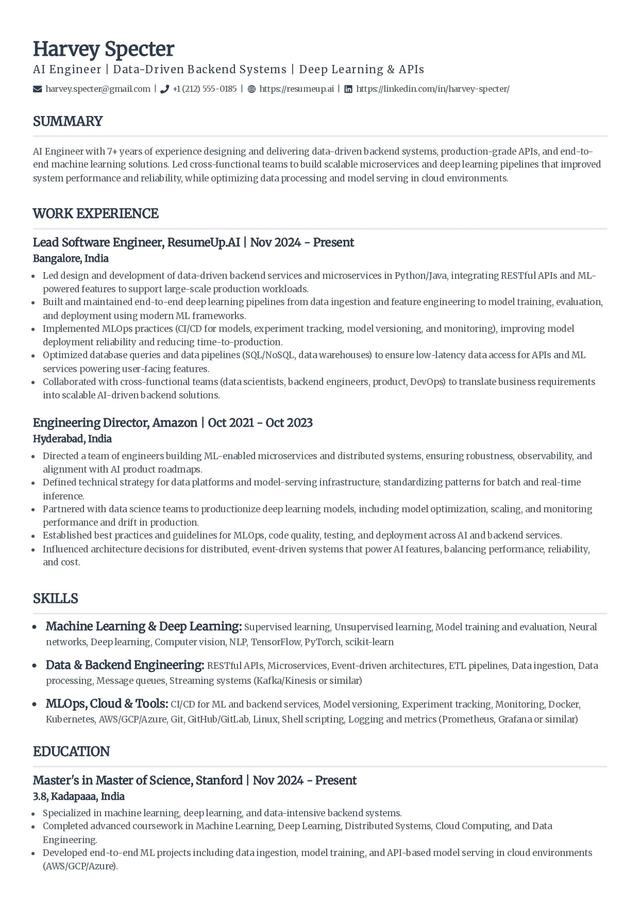
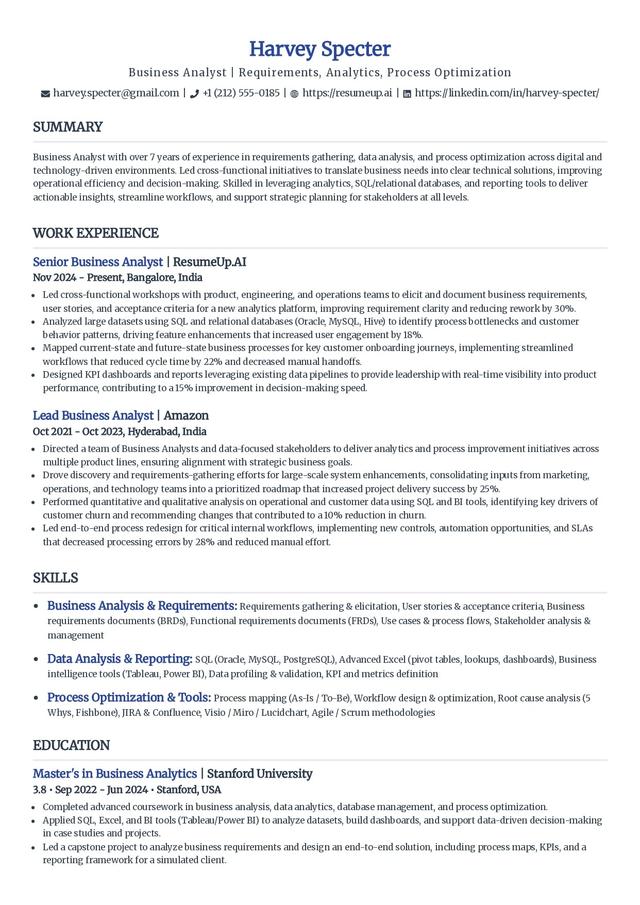
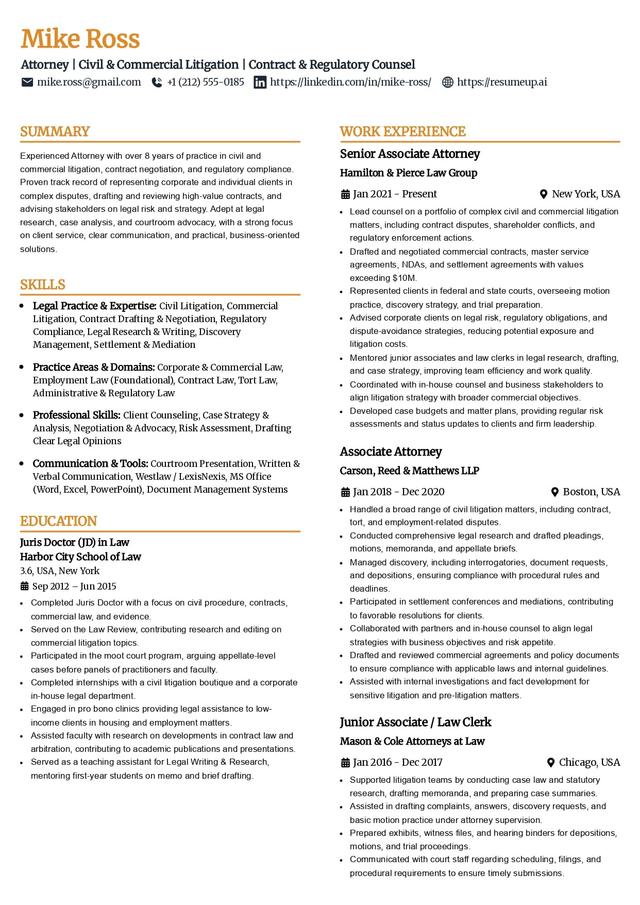
Want the full set grouped by style and career level? Browse the complete resume templates library, every design there opens in the same editor.
Start from an ATS-safe template
Pick one above, add your experience, and the editor keeps the layout parser-safe the whole way through.
Build my resumeWhat quietly breaks ATS parsing
A template does not fail an ATS with a loud error. It fails by handing the parser text it reads in the wrong order or cannot read at all, so a section comes out empty or scrambled and your resume ranks lower than it should. These are the usual culprits, and what to do instead.
What trips up the parser
- Multi-column layouts built with tables. The parser reads left cell, right cell, next row, so your timeline gets shuffled. If you want two columns, use a template with a true single-column reading order underneath.
- Graphics, icons, and skill bars. A rating bar that shows "Excel: 90%" carries no text a parser can read. Write the skill and, if it matters, the level in words.
- Text in the header or footer. Some parsers skip the header and footer entirely. Keep your name, phone, and email in the body of the page, not in a Word header.
- Renamed or merged sections. Combining Education and Certifications under one invented heading can hide both. Keep the standard sections separate and named plainly.
- Scanned or image-only PDFs. A PDF that is really a picture of a resume has no selectable text. Export a text-based PDF, or send a Word file, so the content can be extracted.
What parses cleanly
- A single column that reads straight down the page.
- Work Experience, Education, and Skills as their own named sections.
- A standard font at 10-12pt with plain black text.
- Bullet points for achievements, each with a number where you have one.
- A text-based file (PDF or Word) that you can select and copy from.
The honest version: no template "beats" an ATS, and any page that promises it is overselling. The system is not scoring your design; it is reading your text and matching it to the posting. A good template only keeps that text readable. The ranking still comes from your words, so tailor them to the job and confirm the result with the ATS resume checker before you send it.
PDF or Word: which file format is ATS-safe
Both parse well when they are text-based, so the format matters less than people fear. Follow the posting first. If it names a file type, send that. If it says nothing, a PDF keeps your layout fixed across every screen, just make sure it is a real text PDF and not a scanned image, which has no text to read. Reach for Word only when a portal asks for .doc or .docx by name.
How to tailor a template to the posting
A parser ranks you on how well your words match the job description, so the highest-value edit is matching that language. Pull the exact terms the posting uses for the skills and tools you actually have, and use those words in your skills section and bullets. One rule covers the whole of ATS keyword advice: mirror the posting's phrasing where it is true for you, and never stuff in keywords you cannot back up.
Common mistakes with ATS templates
- Using it as-is. An untailored template reads as generic to both the parser and the recruiter. Replace every placeholder and match the content to the role.
- Chasing a design over readability. A striking template with columns and icons can lose whole sections in an ATS. Pick readability first, polish second.
- Trusting it blindly. Templates parse differently in different systems. Run the finished resume through a checker so you see what the machine sees.
- Keyword stuffing. Padding the page with terms you cannot support gets caught the moment a human reads it. Match the posting honestly.
ATS-safe examples by role
Some roles are easier to get right with wording that already reads correctly for the field. These pages pair copy-ready examples with a layout that stays parser-safe.
Build a resume that parses cleanly
Start from an ATS-safe template, add your experience, and check it against a real parser before you apply.
Frequently asked questions
What makes a resume template ATS-friendly?
A single-column layout, standard section headings like Work Experience and Education, a common font at 10-12pt, and no tables, text boxes, images, or icons in the body. Those elements are what confuse a parser and scramble your text.
Do ATS systems automatically reject resumes with the wrong template?
Rarely. Most applicant tracking systems rank and filter resumes rather than auto-reject them on formatting. The real risk is quieter: a table or a graphic makes a section parse wrong, so your resume never surfaces for the recruiter. A clean template removes that risk.
Are two-column resume templates ATS-friendly?
It depends how the columns are built. Modern parsers can often read a genuine two-column layout, but columns made with a table get read cell by cell and shuffle your information. A single-column template avoids the guesswork entirely, which is why we recommend one when you are unsure.
Should I send an ATS resume as a PDF or a Word document?
Follow the posting first. If it names a format, use it. If it says nothing, a text-based PDF is safe because it keeps your layout fixed while staying readable. Avoid a scanned or image-only PDF, since it has no text for a parser to extract.
Are free ATS resume templates as good as paid ones?
Yes. A free template with a single column, standard headings, and a readable font parses exactly as cleanly as a paid one. What earns interviews is the content, tailored to the posting, not the price of the template.
Can I use the same ATS template for every job?
You can reuse the template, but rewrite the content for each role. Change the summary, reorder your skills to match the posting's wording, and lead with the most relevant experience. The layout can stay the same; the words should not.