Office Manager Resume Templates for Medical, Dental, and Corporate Offices
- ATS Friendly
- Office Manager Specific
- 16 Real Examples
An office manager resume gets skimmed in seconds, so it has to show the size of the office you run, the software you use, and the money you manage at a glance. Pick a clean template below, then model your own on a real example built for your setting, from a medical or dental practice to a law firm, construction back office, or corporate HQ. Every example names the systems a posting lists and backs each line with one modest number.


540k+ resumes created
Office manager resume templates, sorted by setting and level
Each template below is a real office manager resume laid out in that format, grouped by setting and experience level. Choose one, then swap in your own office size, the software you run, the budget you manage, and the credentials you hold. Every layout keeps your name, title, and dates clean so a hiring manager reads your results in one pass and an applicant tracking system parses it without trouble.
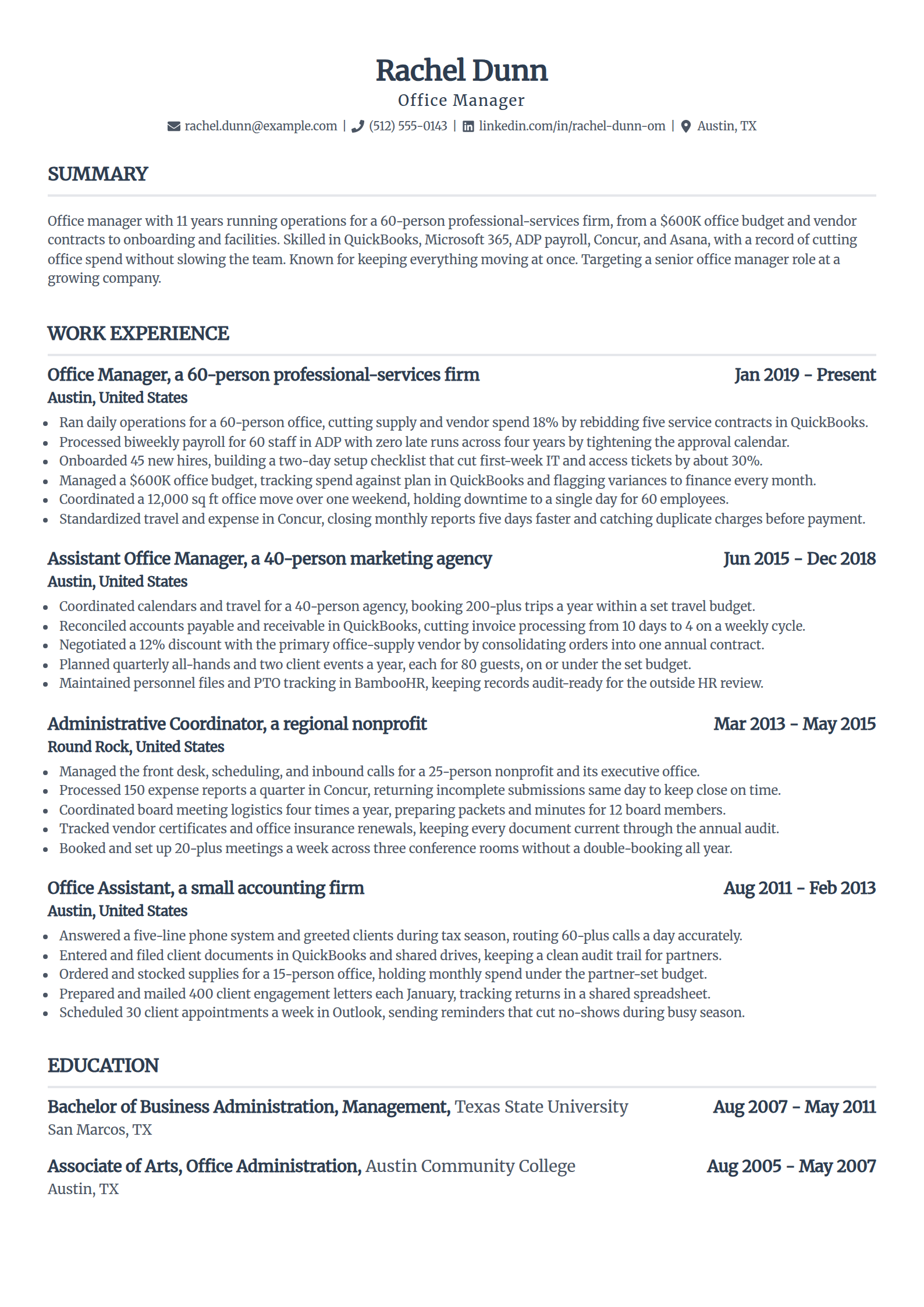
Office Manager Resume Template (Experienced)
Why this resume example works?
- Opens with the scope a hiring manager reads first, running a 60-person office on a $600K budget.
- Leads each bullet with a strong verb and one modest number, like an 18% cut in vendor spend.
- Names the systems a posting lists, QuickBooks, ADP payroll, and Concur, as applicant-tracking keywords.
- Shows the full range of the role, from payroll and onboarding to a weekend office move with one day of downtime.
- Uses a clean single-column layout that carries an eleven-year history on one ATS-safe page.
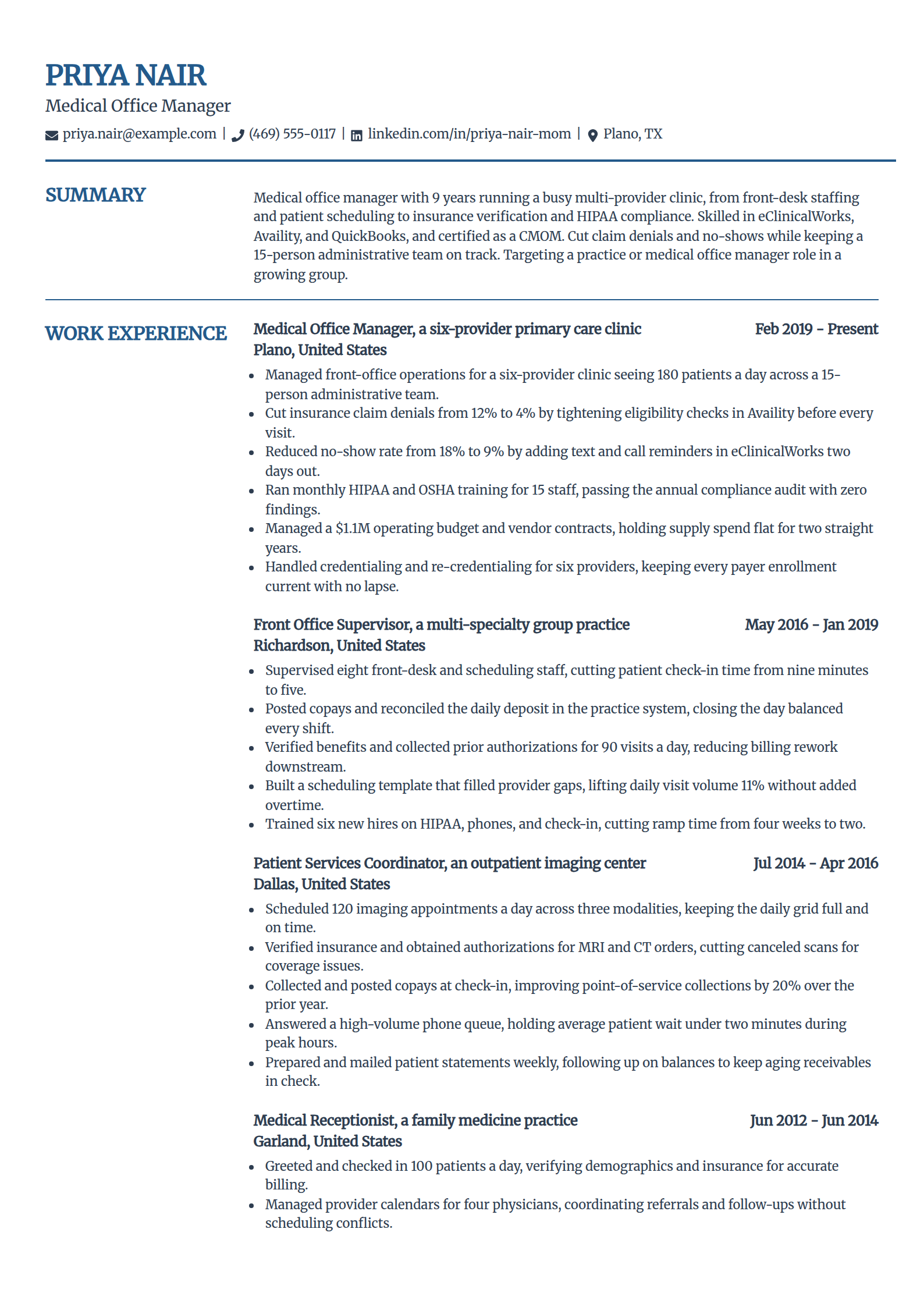
Medical Office Manager Resume Template
Why this resume example works?
- Frames clinic scope an administrator values, a six-provider practice seeing 180 patients a day.
- Shows the revenue-cycle work this role owns, cutting claim denials from 12% to 4% with eligibility checks in Availity.
- Keeps compliance visible, monthly HIPAA and OSHA training and a zero-finding annual audit.
- Names eClinicalWorks and a CMOM credential, the system and certification a medical posting screens for.
- Stays in administrative scope, scheduling, insurance, staffing, and credentialing, never clinical care.
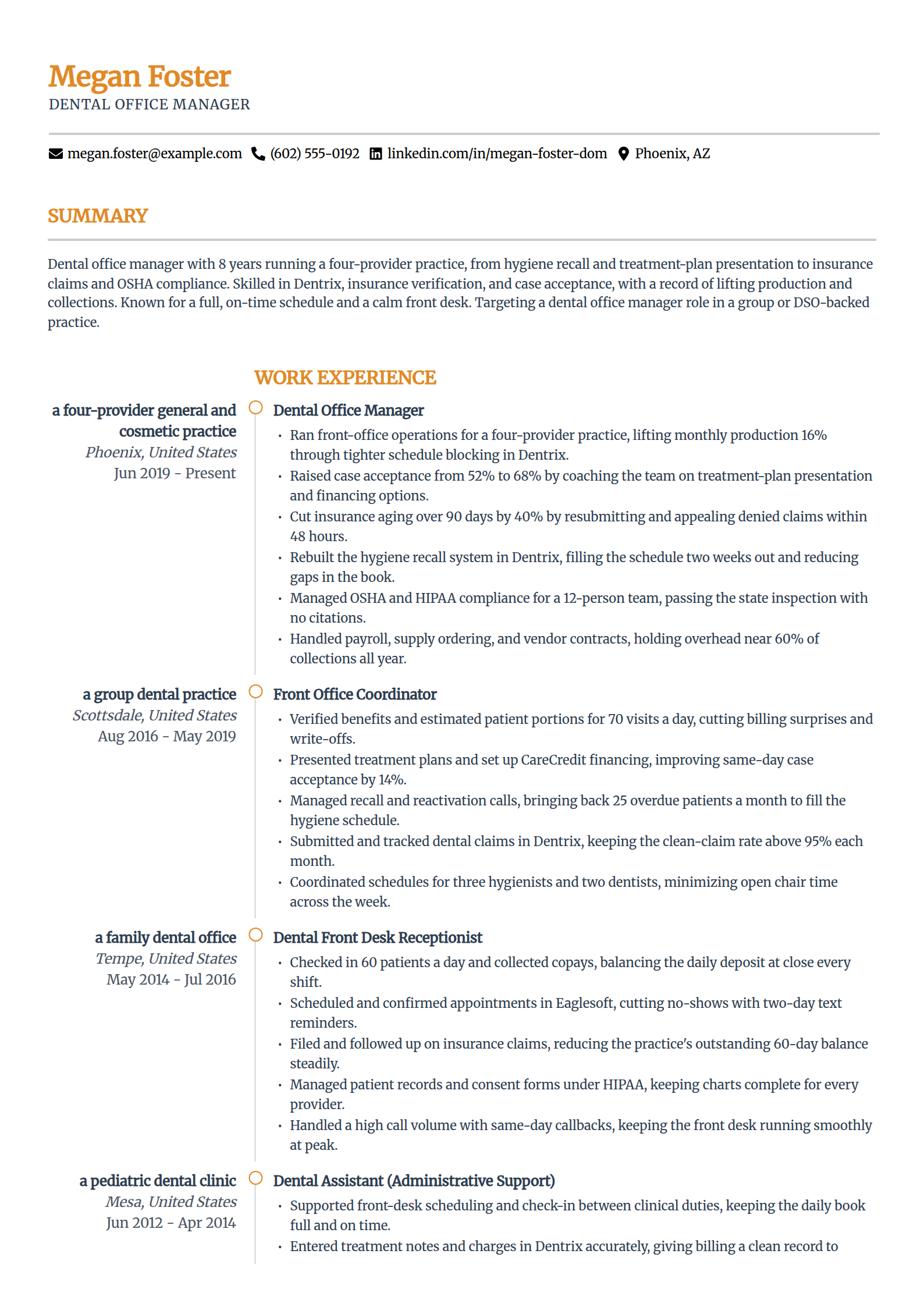
Dental Office Manager Resume Template
Why this resume example works?
- Opens with the numbers a practice owner reads first, monthly production up 16% and case acceptance from 52% to 68%.
- Shows the dental-specific work, hygiene recall rebuilt in Dentrix and insurance aging over 90 days cut by 40%.
- Keeps overhead visible, payroll, supply ordering, and vendor contracts held near 60% of collections.
- Names Dentrix and Eaglesoft, the practice-management systems a dental posting lists.
- Uses a modern two-column layout that carries a full dental front-office history on one page.
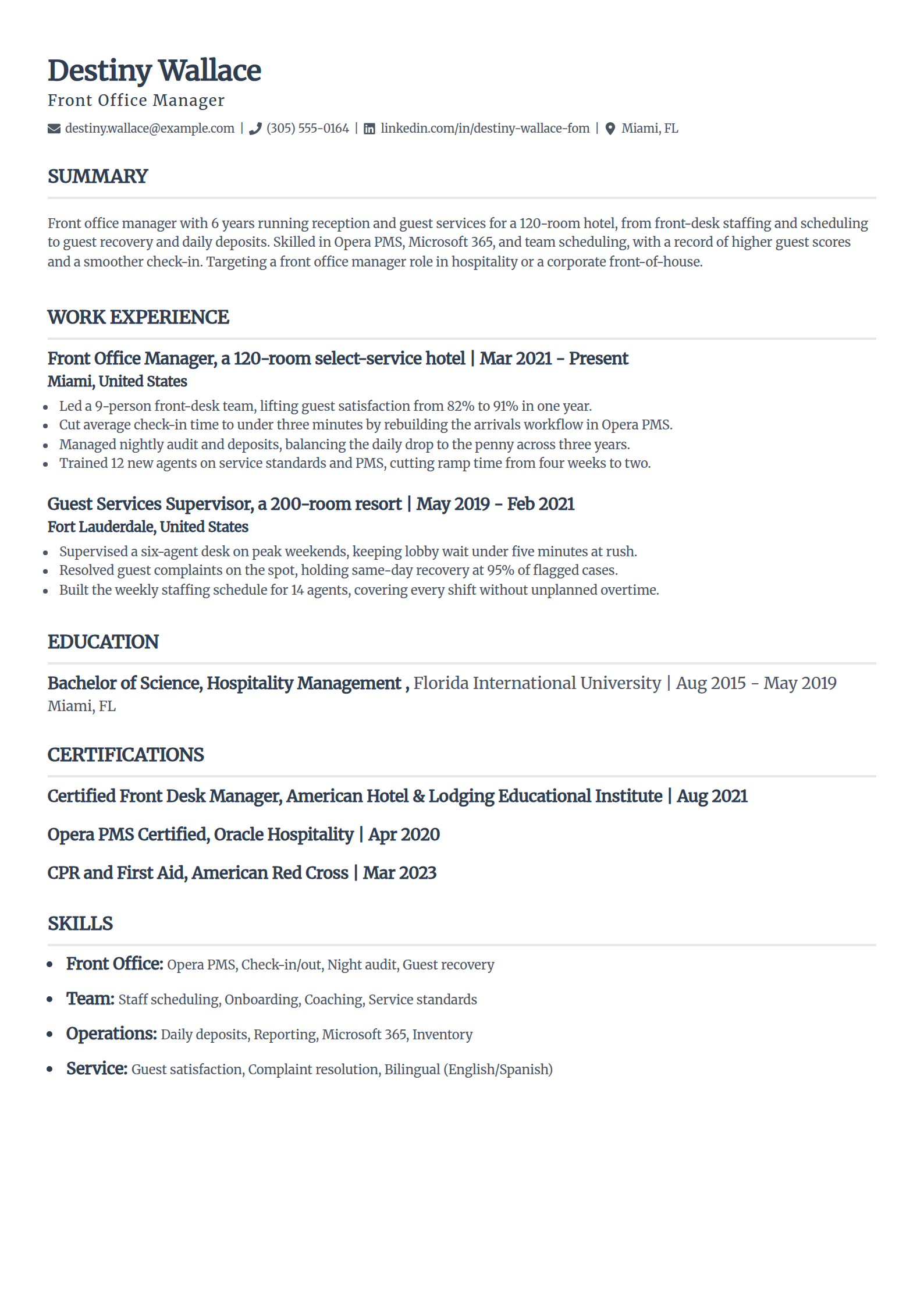
Front Office Manager Resume Template
Why this resume example works?
- Leads with the service metric that gets hired, guest satisfaction lifted from 82% to 91% in a year.
- Shows the daily front-of-house work, a 9-person desk, nightly audit, and deposits balanced to the penny.
- Adds a bilingual skill, English and Spanish, that a front desk values, without inflating the record.
- Names Opera PMS, the property-management system a hospitality front-office posting lists.
- Uses a tight, ATS-safe single-column layout that fills the page without padding.
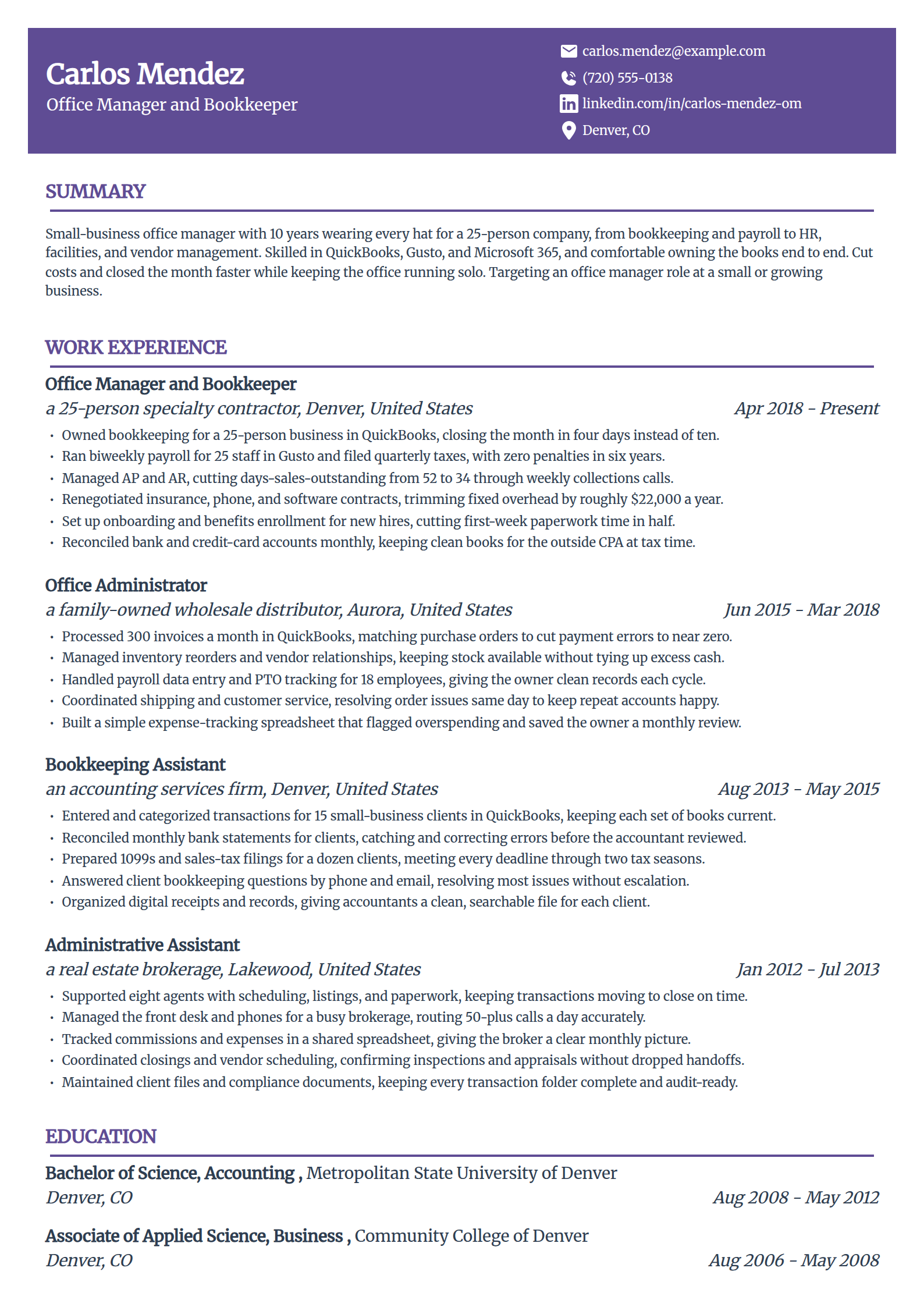
Small-Business Office Manager Resume Template
Why this resume example works?
- Frames the wear-every-hat scope a small business needs, owning books, payroll, HR, and facilities for 25 people.
- Shows a result an owner reads, closing the month in four days instead of ten in QuickBooks.
- Keeps the money concrete, days-sales-outstanding cut from 52 to 34 through weekly collections.
- Names Gusto payroll and a QuickBooks ProAdvisor credential a small-business posting values.
- Uses a modern layout that carries a ten-year, do-it-all history on one clean page.
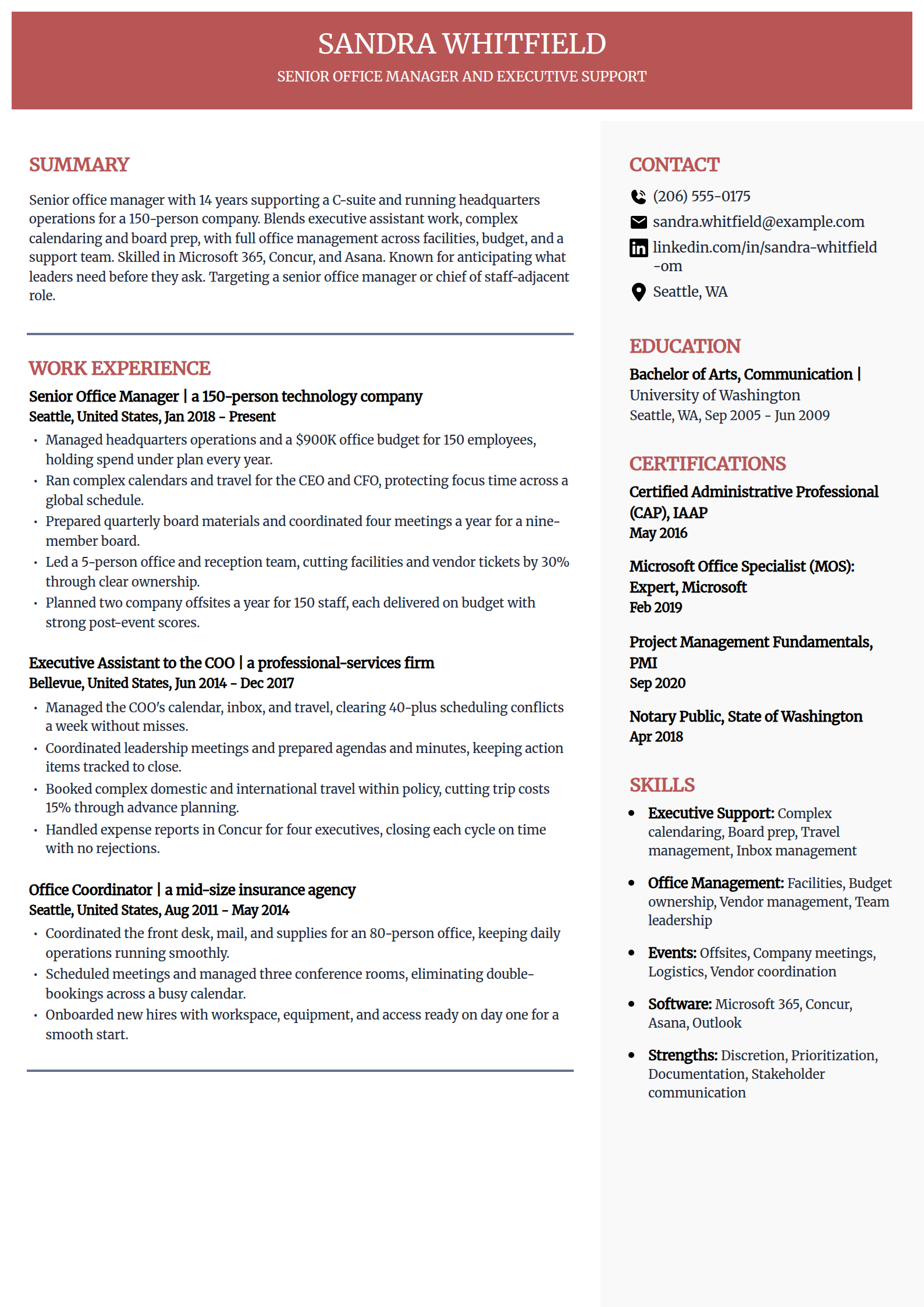
Senior Office Manager & Executive Support Resume Template
Why this resume example works?
- Opens at headquarters scope, running operations and a $900K budget for a 150-person company.
- Blends the two jobs this role really is, executive support for the CEO and CFO plus full office management.
- Keeps the leadership concrete, board prep for a nine-member board and a 5-person office team.
- Names the CAP credential and Concur, the certification and system a senior posting screens for.
- Uses a refined layout that fits a fourteen-year record cleanly on one page.
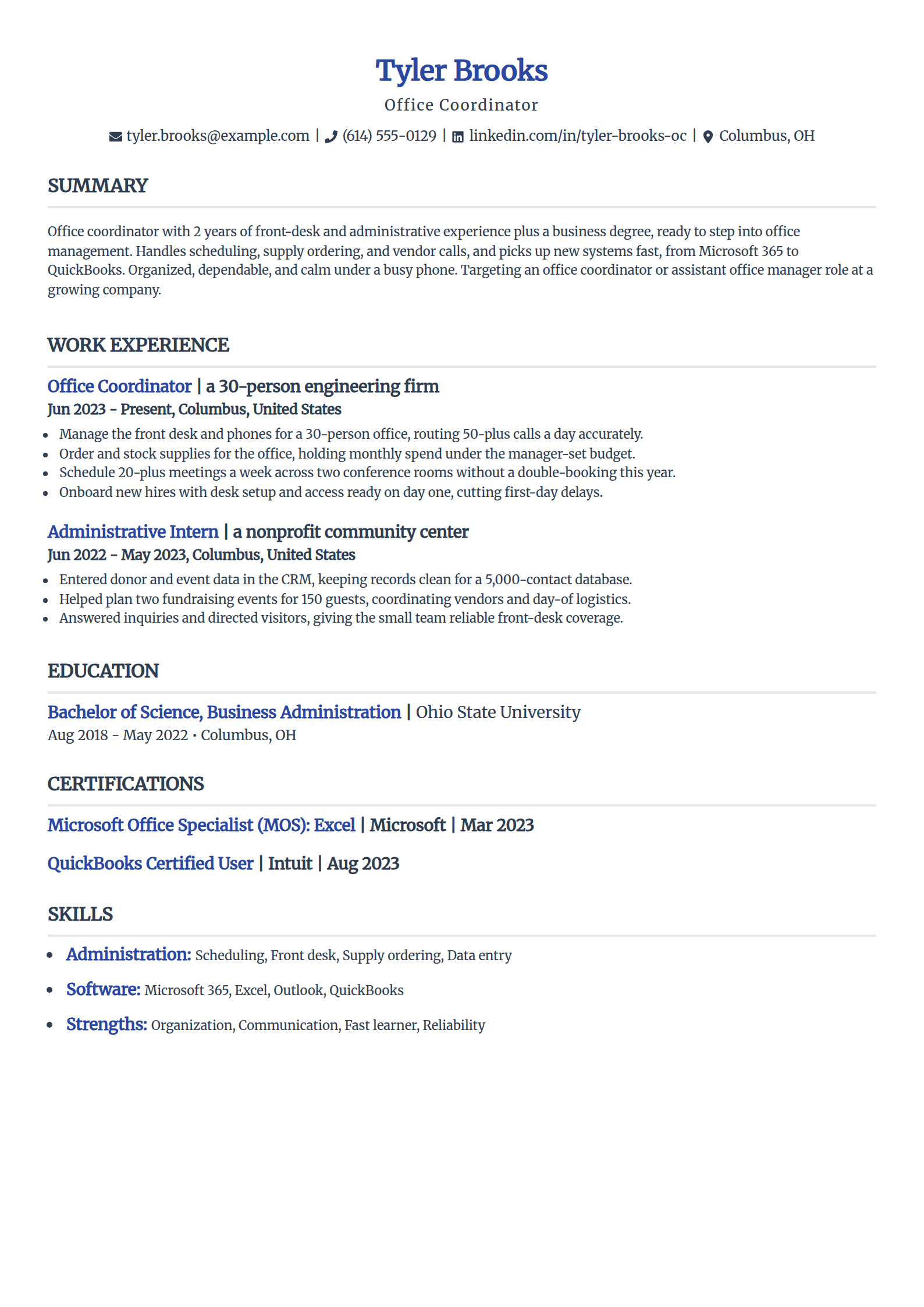
Entry-Level Office Coordinator Resume Template
Why this resume example works?
- Written for someone stepping up, it leads with front-desk and scheduling results, not vague duties.
- Turns a business degree and an internship into relevant experience an office manager hires for.
- Shows software a posting screens for early, Microsoft 365 and a QuickBooks certificate.
- Keeps each bullet concrete, routing 50-plus calls a day and holding supply spend under budget.
- Uses a clean, parser-friendly layout that reads complete without inventing years of experience.
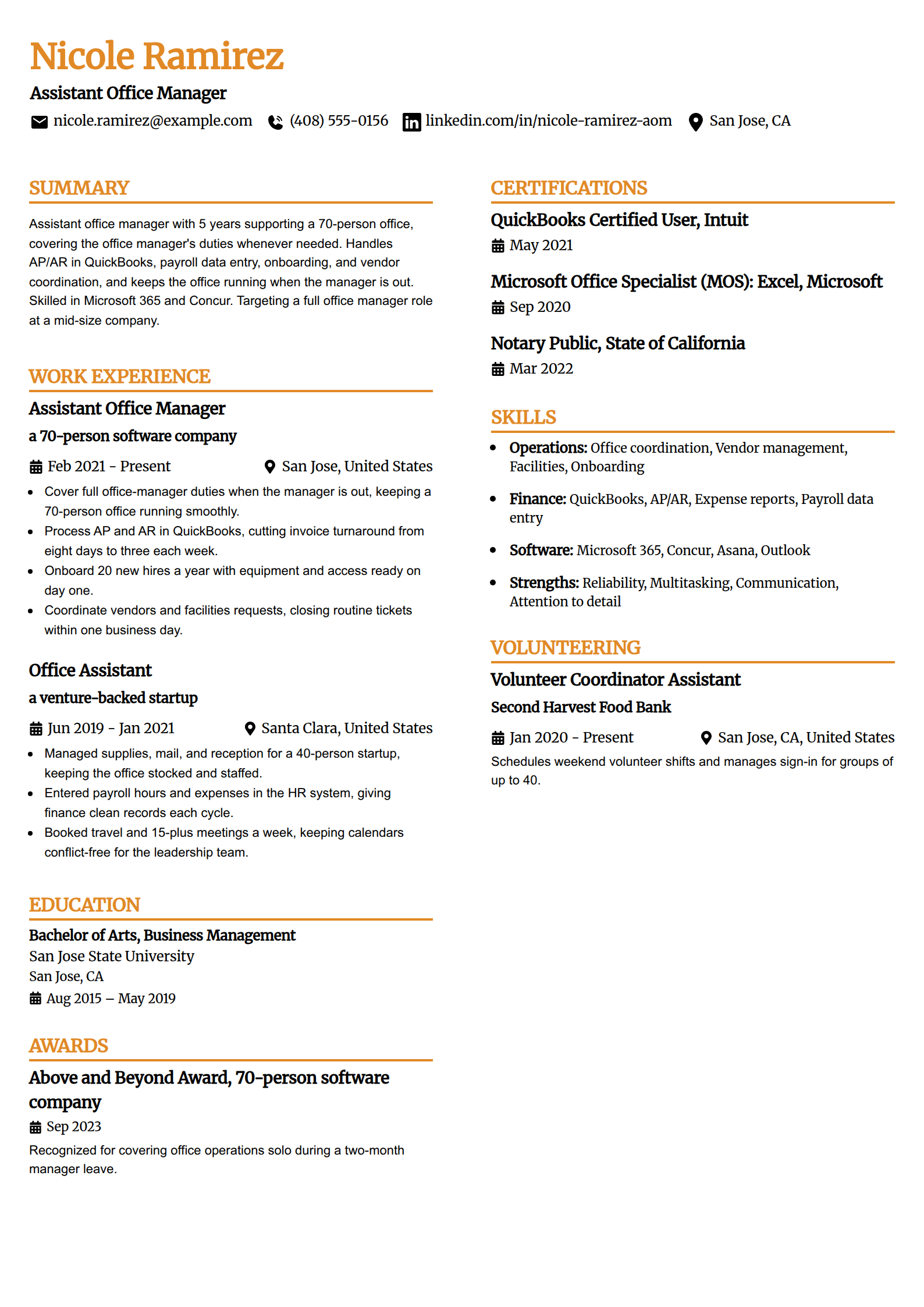
Assistant Office Manager Resume Template
Why this resume example works?
- Makes the promotion case directly, already covering full office-manager duties whenever the manager is out.
- Shows manager-level results, AP and AR turnaround cut from eight days to three each week.
- Keeps the daily work concrete, onboarding 20 hires a year and closing facilities tickets same day.
- Names QuickBooks and Concur, the finance systems an office manager posting expects.
- Uses a two-column layout with a filled sidebar so a focused five-year record reads complete.
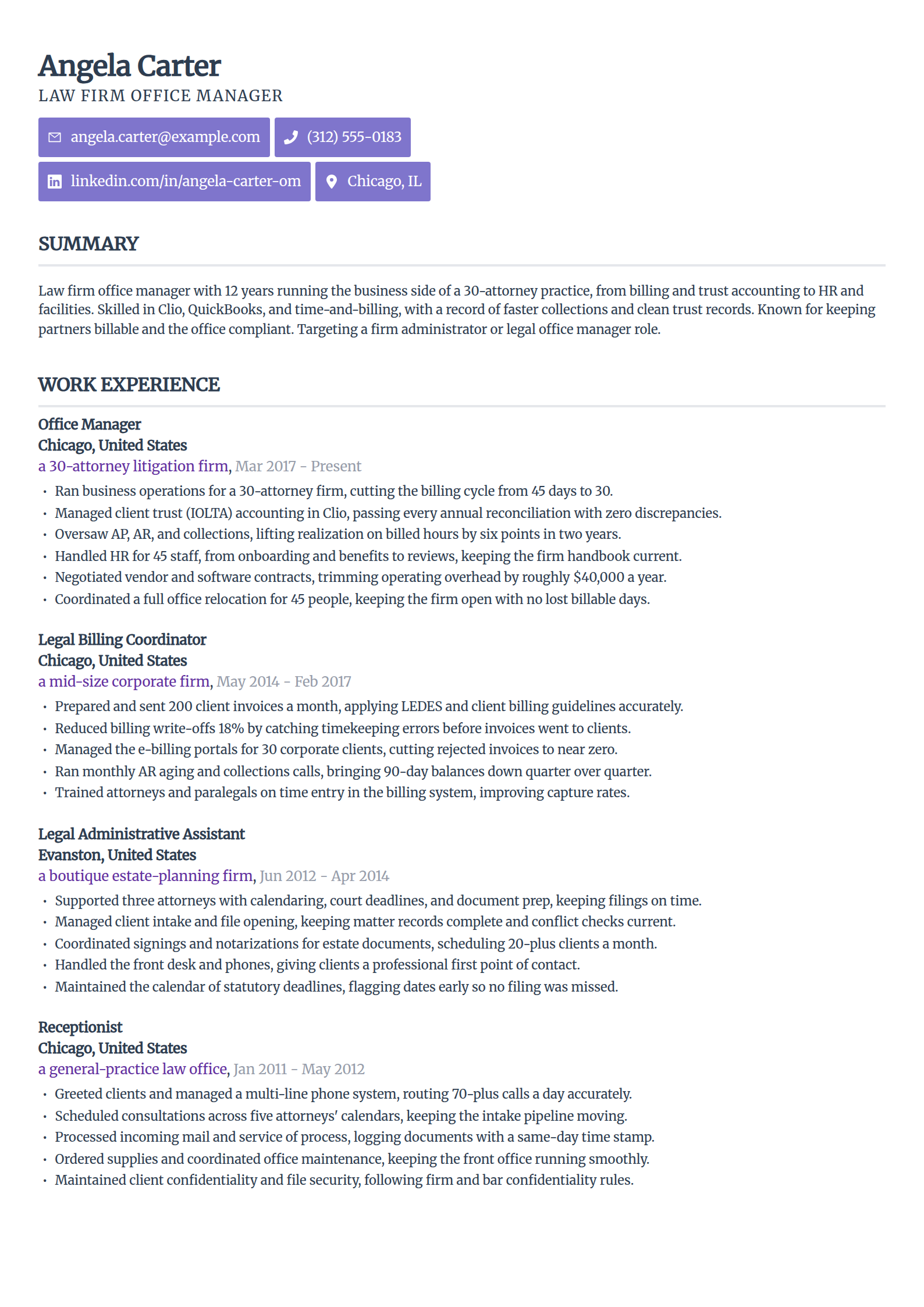
Law Firm Office Manager Resume Template
Why this resume example works?
- Frames firm scope, running the business side of a 30-attorney practice with 45 staff.
- Shows the legal-specific work, the billing cycle cut from 45 days to 30 and clean IOLTA trust reconciliations.
- Keeps the money visible, realization on billed hours lifted six points in two years.
- Names Clio and time-and-billing, the systems a firm-administrator posting lists.
- Uses a clean, modern layout that fits a twelve-year legal-operations history on one page.
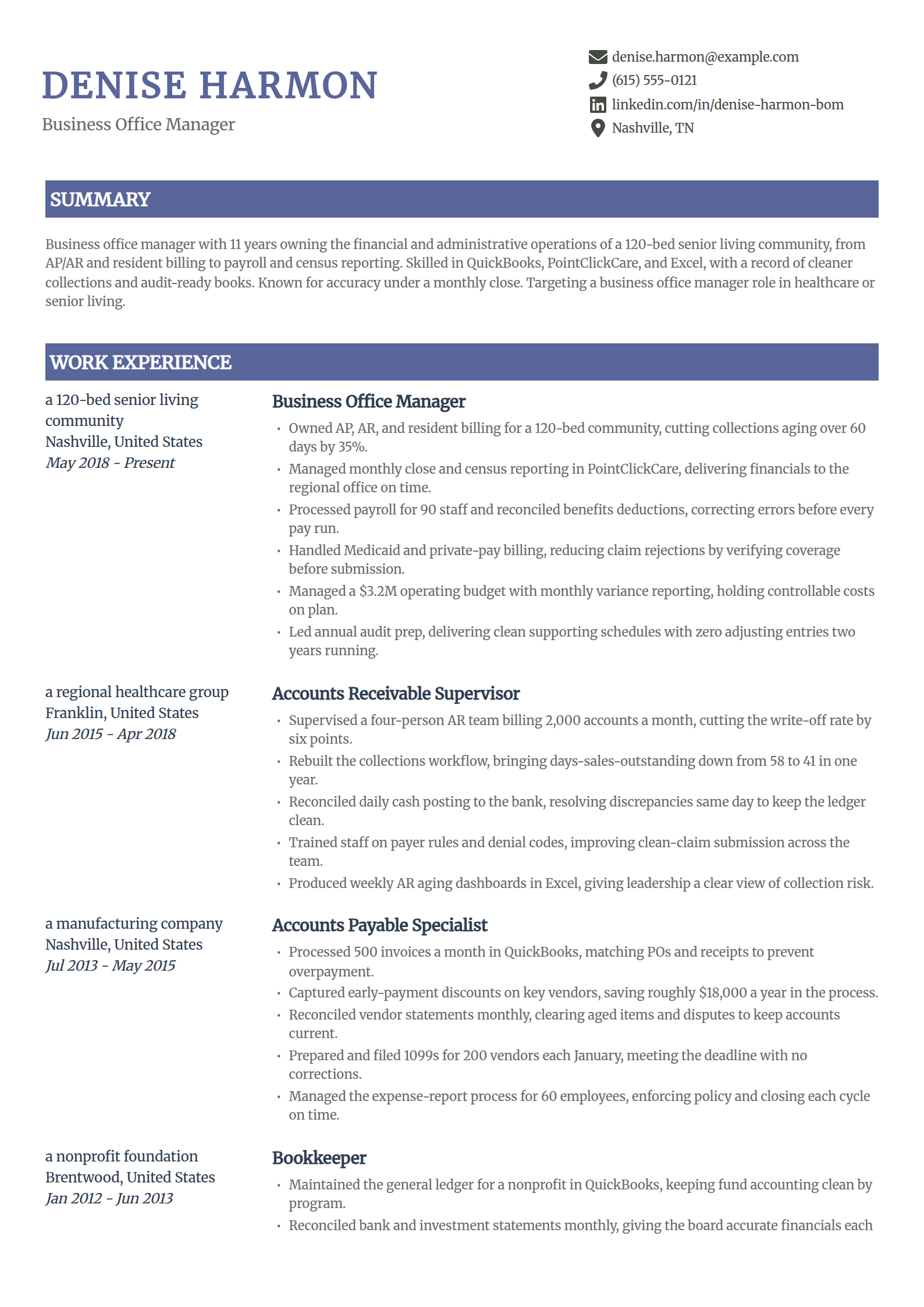
Business Office Manager Resume Template
Why this resume example works?
- Opens with the financial scope this role owns, AP, AR, and resident billing for a 120-bed community.
- Shows a result leadership reads, collections aging over 60 days cut by 35% through a tighter workflow.
- Keeps the reporting concrete, a $3.2M budget with monthly variance and clean audit prep two years running.
- Names PointClickCare and payer billing, the system and skills a healthcare business office lists.
- Uses a visually rich two-column layout that fits a dense finance history on one page.
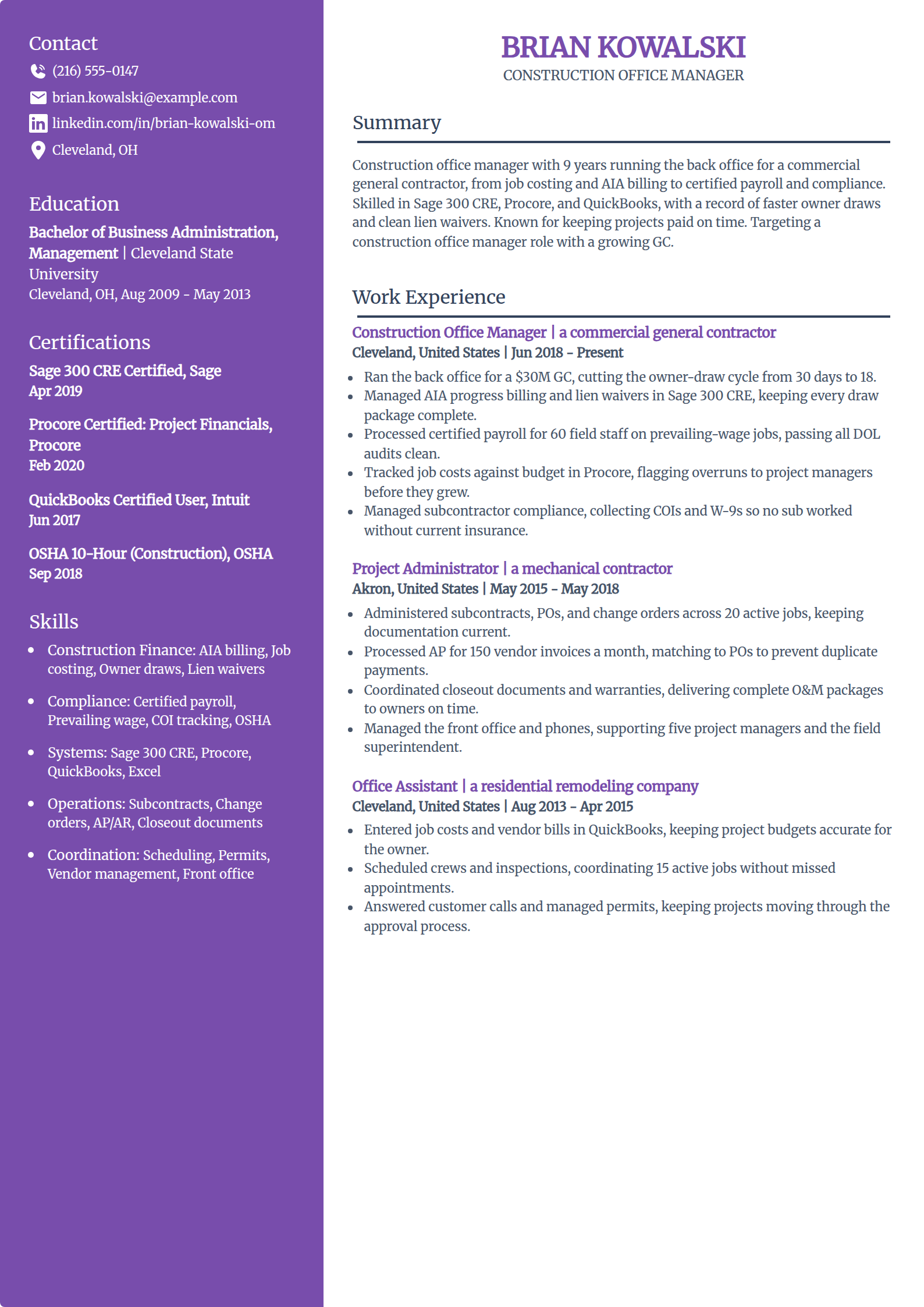
Construction Office Manager Resume Template
Why this resume example works?
- Frames contractor scope, running the back office for a $30M general contractor.
- Shows the construction-specific work, AIA progress billing and the owner-draw cycle cut from 30 days to 18.
- Keeps compliance concrete, certified payroll for 60 field staff passing every DOL audit clean.
- Names Sage 300 CRE and Procore, the systems a construction back-office posting lists.
- Uses a modern layout that carries a nine-year construction-administration history on one page.
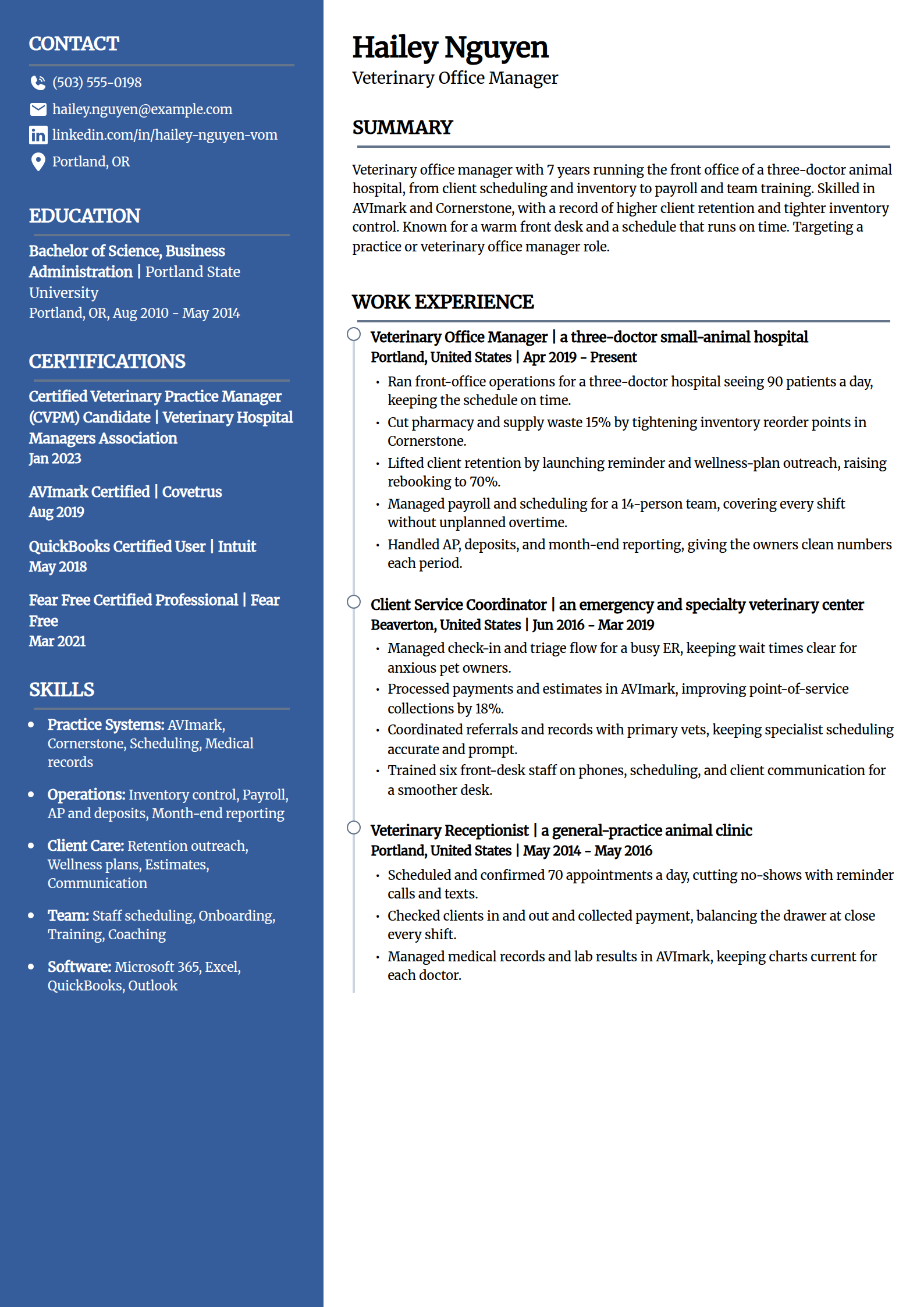
Veterinary Office Manager Resume Template
Why this resume example works?
- Opens with practice scope, running the front office of a three-doctor hospital seeing 90 patients a day.
- Shows results an owner reads, client retention lifted to 70% and supply waste cut 15% in Cornerstone.
- Keeps the operations concrete, payroll and scheduling for a 14-person team with no unplanned overtime.
- Names AVImark and Cornerstone, the practice-management systems a veterinary posting lists.
- Uses a distinctive layout that stays easy for an owner to skim in one pass.
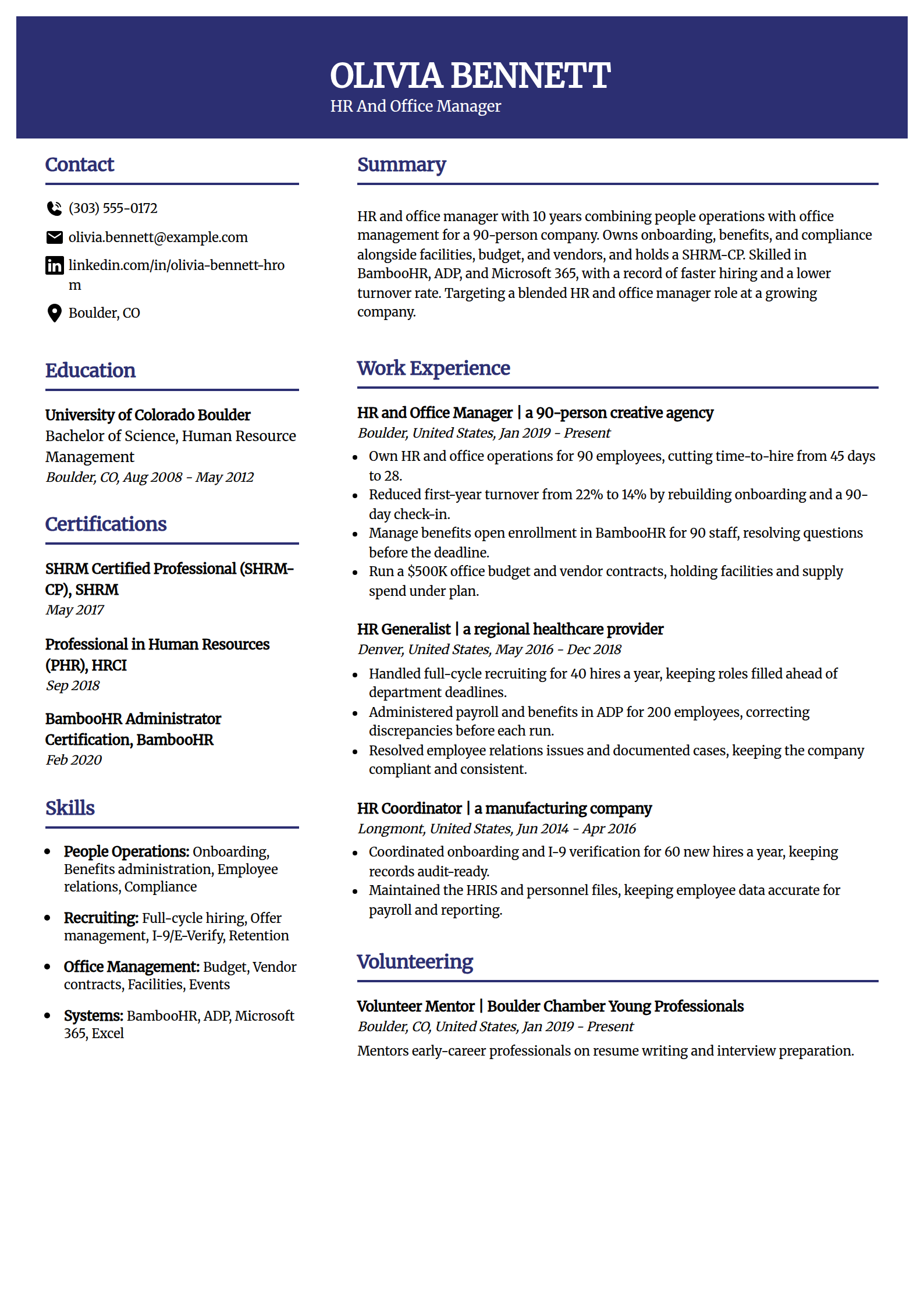
HR & Office Manager (Hybrid) Resume Template
Why this resume example works?
- Frames the blended role honestly, owning people operations and office management for 90 employees.
- Shows HR results a posting reads, time-to-hire cut from 45 days to 28 and first-year turnover from 22% to 14%.
- Keeps the office side visible, a $500K budget and vendor contracts held under plan.
- Names a SHRM-CP and BambooHR, the credential and system an HR-plus-office posting screens for.
- Uses a roomy two-column layout with the sidebar filled so the page reads complete.
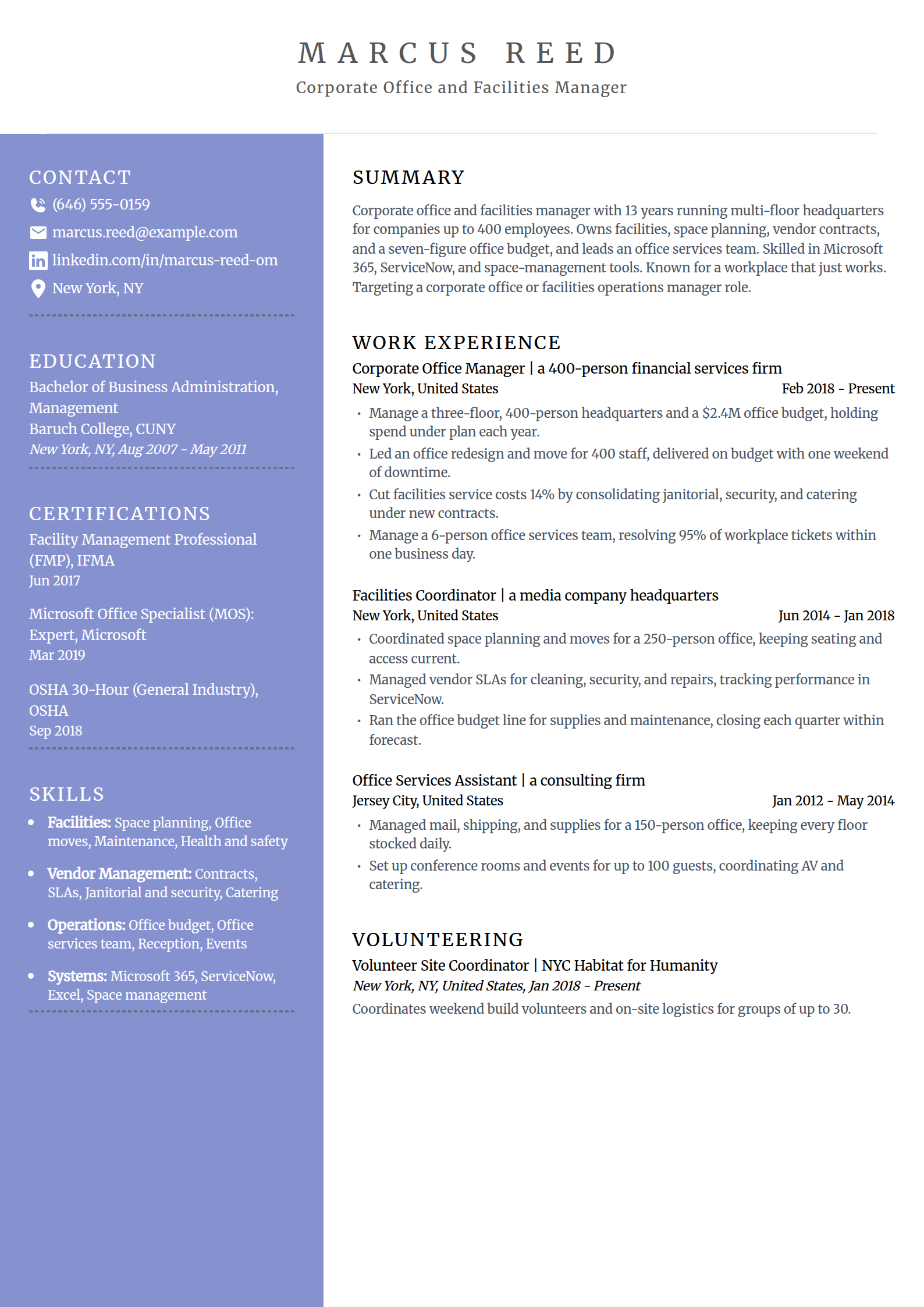
Corporate Office & Facilities Manager Resume Template
Why this resume example works?
- Opens at corporate scope, a three-floor, 400-person headquarters on a $2.4M office budget.
- Shows the facilities work this role is hired for, an office redesign and move delivered on budget.
- Keeps the savings concrete, service costs cut 14% by consolidating janitorial, security, and catering.
- Names an FMP and ServiceNow, the facilities credential and system a corporate posting lists.
- Uses a roomy two-column layout with a filled sidebar so a senior record reads complete.
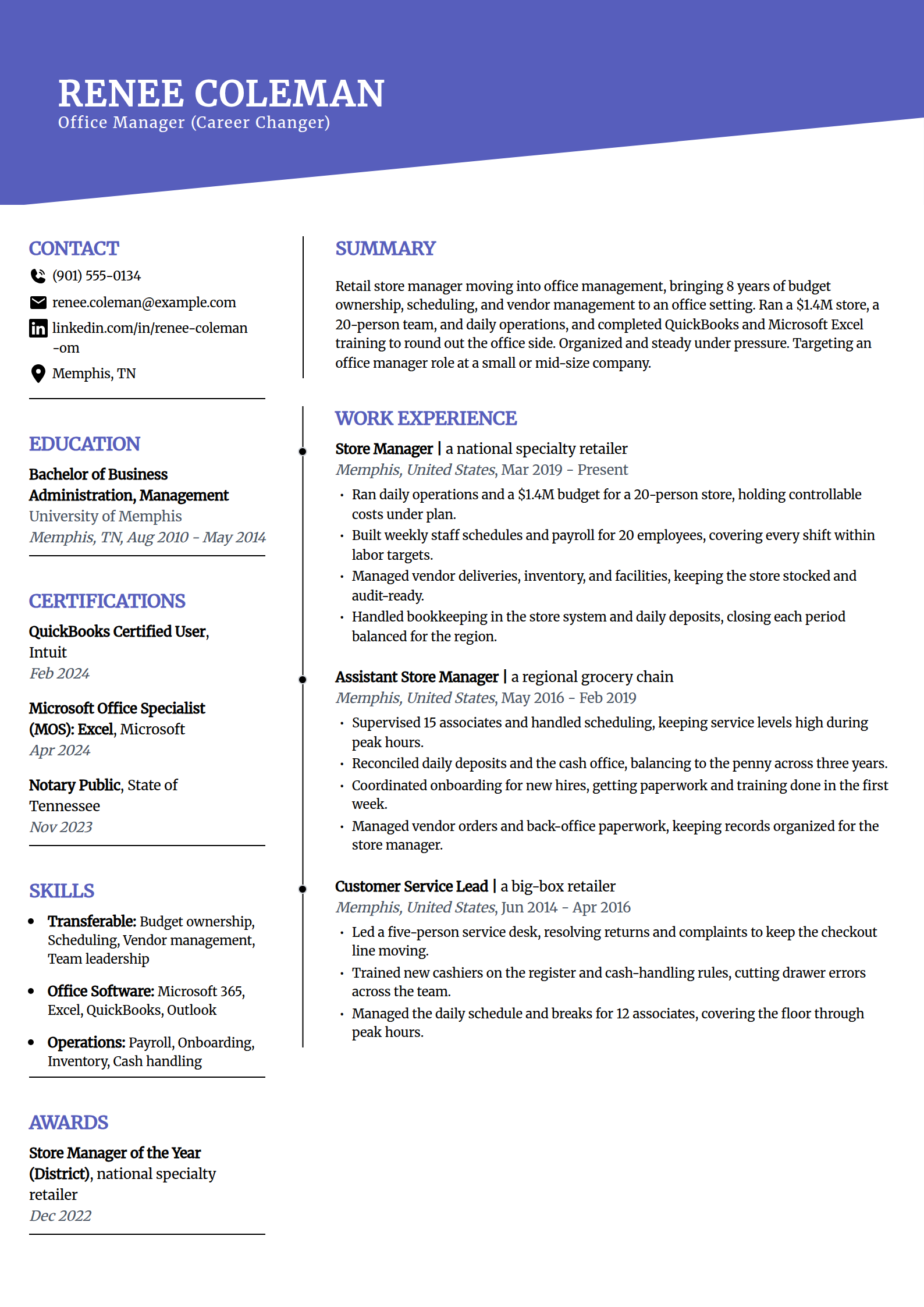
Career-Change Office Manager Resume Template
Why this resume example works?
- Names the move openly, a retail store manager stepping into office management with fresh software training.
- Reframes transferable strengths honestly, a $1.4M budget, scheduling, payroll, and vendor management.
- Shows real preparation, QuickBooks and Microsoft Excel certificates earned to round out the office side.
- Avoids inventing office-manager numbers, using retail budget and team results instead of fabricated stats.
- Uses a two-column layout with a full sidebar so a first-time office-manager resume still reads complete.
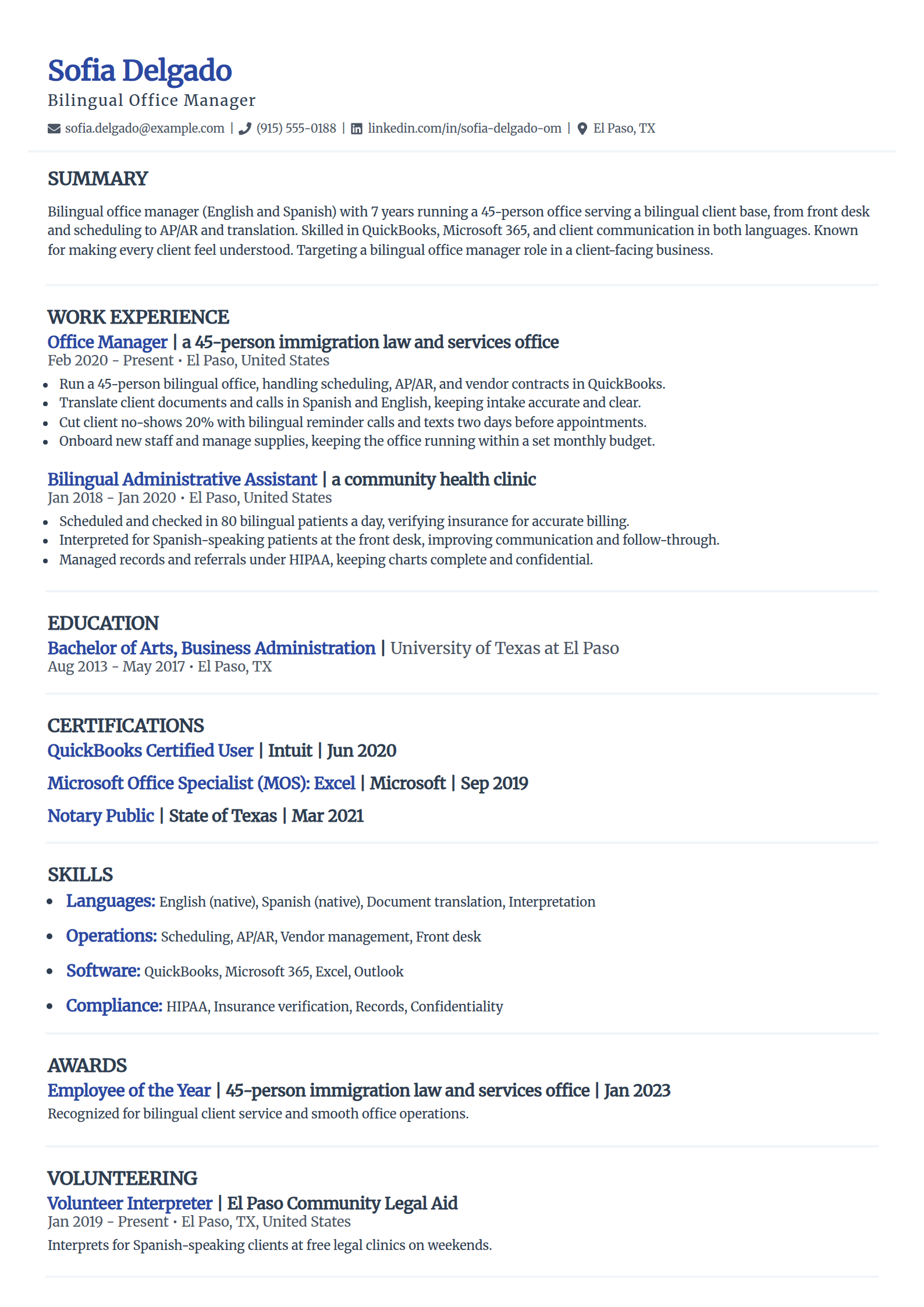
Bilingual Office Manager Resume Template
Why this resume example works?
- Frames the bilingual value, running a 45-person office serving clients in English and Spanish.
- Shows the language work as a skill, document translation and interpretation that keep intake accurate.
- Keeps a result concrete, client no-shows cut 20% with bilingual reminder calls and texts.
- Names QuickBooks and the AP/AR and vendor work a client-facing office posting lists.
- Uses a refined two-column layout with a filled sidebar so a focused record reads complete.
Build your office manager resume
Pick a template above and the editor keeps your layout clean and ATS-safe while you swap in your own office size, budget, and the software your office runs.
Build my resumeHow to write an office manager resume in 2026
An office manager resume is read by someone who checks two things fast: the size of the office you have run and whether your software matches the posting. Lead with the headcount, budget, and systems you own, then attach one modest number to each line. These moves make yours easy to skim and easy for an applicant tracking system to parse.
Open with a short office manager summary
Write three to four sentences that name your years and the size of the office you run, the budget you manage, one or two systems you use, and the role you are targeting. If you are new, lead with front-desk or coordinator results and your software training instead of years. Say what you have run, not what you want from the employer.
Office manager with 8 years running a 50-person professional-services office, managing a $500K budget, biweekly payroll, and vendor contracts. Skilled in QuickBooks, Microsoft 365, and ADP, with a record of cutting office spend without slowing the team. Targeting a senior office manager role at a growing company.
Lead experience with headcount, budget, and software
The work an office manager resume is hired for is measurable, so name it and attach one modest number to each bullet. Open every line with a strong verb, never "Responsible for".
- Scope: state the office size, like running daily operations for a 60-person office across two floors.
- Money: name the budget and the saving, such as cutting supply and vendor spend 18% by rebidding contracts.
- Systems: name the platform, like processing biweekly payroll for 60 staff in ADP with zero late runs.
- Projects: use numbers a hiring manager reads, such as an office move for 60 people with one day of downtime.
List your education and certifications the right way
Office management does not require a specific degree or license, so this section supports the experience rather than carrying the resume. Match it to your setting and keep the wording honest.
- List a business or administration degree if you have one; it helps but is not required for the role.
- Add the certificate that fits your work: a Microsoft Office Specialist or QuickBooks credential shows software fluency.
- For a medical or dental office, list a CMOM or practice-management certificate and HIPAA and OSHA training.
- If you manage people, a SHRM-CP or PHR signals the HR side; list a Notary Public where your office needs one.
Match your skills to the posting's keywords
An office manager skills list should read like the job description. Split it so a hiring manager and a parser both find what they need.
- Software: name the platform outright, like QuickBooks, Microsoft 365, ADP, Gusto, Concur, or Asana, matching the posting.
- Operations: vendor and contract management, facilities, scheduling, onboarding, and office moves.
- Finance: AP/AR, bookkeeping, budgeting, expense reporting, and payroll processing.
- Setting-specific: add HIPAA and insurance verification for medical or dental, or trust accounting for a law firm.
Do you need a degree or certification to be an office manager? (the honest answer)
Job boards push degrees and certificates hard, but most office manager postings hire on demonstrated experience and software fluency. The credential helps at the margin; it does not gate the job.
- There is no license for office management, so a first-timer should lead with results and systems, not a missing cert.
- A business degree helps but is not required; strong front-desk, bookkeeping, or coordinator results carry a new candidate.
- Certificates that prove software (Microsoft Office Specialist, QuickBooks) do more for a screen than a generic management course.
- In medical, dental, or legal offices, the setting-specific credential (CMOM, practice-management, trust accounting) is what stands out.
Keep it to one clean, ATS-safe page
Most companies run applicant tracking systems, so a clean one-page resume is the standard for almost every office manager.
- Use a single-column or simple two-column layout with standard headings a parser recognizes.
- Hold it to one page and lead with your most recent role in reverse-chronological order.
- Save as a PDF so the layout holds, then run it through our ATS resume checker for a format and keyword pass.
- Swap the numbers in the templates above for your own headcount, budget, and software; do not copy them as is.
Common office manager resume mistakes
- Writing vague duties like "handled office tasks". Say what changed: "cut supply spend 18% by rebidding five vendor contracts".
- Leaving out the software. Name the platform you used, like QuickBooks, ADP, or Microsoft 365, since postings screen for it.
- Skipping the numbers. Office size, budget, payroll headcount, and time saved are what a hiring manager reads first.
- Using one generic resume for every setting. A medical office needs HIPAA and insurance; a law firm needs trust accounting.
- Waiting on a degree or certificate to apply. Office management has no license; lead with your results and systems instead.
Frequently asked questions
What should an office manager put on a resume?
An office manager resume needs your contact details, a short summary, work history in reverse-chronological order, education, and a skills list. Lead each role with the size of the office you ran and the numbers a hiring manager reads first: headcount supported, budget managed, payroll processed, and the time or money you saved. Name the software you used, such as QuickBooks, Microsoft 365, ADP, Gusto, or Concur. Match the setting to the job, so a medical office resume shows HIPAA and insurance verification and a law firm resume shows trust accounting. Keep it to one clean page.
How do I write an office manager resume with no experience?
Lead with front-desk, coordinator, or bookkeeping results and your software training instead of years. If you are changing careers, reframe transferable work honestly: budgets you managed, staff you scheduled, vendors you coordinated, and the customer service an office runs on. Earn a certificate that proves software fluency, like Microsoft Office Specialist or QuickBooks, so you can name the tools a posting lists. Do not invent office numbers you have not earned. The entry-level and career-change examples above show the shape.
What skills should an office manager have on a resume?
Split your skills so a hiring manager and a parser both find what they need. Software: name the platform outright, like QuickBooks, Microsoft 365, ADP, Gusto, Concur, or Asana, matching the posting. Operations: vendor and contract management, facilities, scheduling, onboarding, and office moves. Finance: AP/AR, bookkeeping, budgeting, expense reporting, and payroll. Add setting-specific skills where they fit, such as HIPAA and insurance verification for a medical or dental office, or trust accounting for a law firm.
Do you need a degree or certification to be an office manager?
No. There is no license for office management, and most postings hire on demonstrated experience and software fluency rather than a specific degree. A business or administration degree helps but is not required, and strong front-desk, bookkeeping, or coordinator results carry a new candidate. Certificates that prove software, like Microsoft Office Specialist or QuickBooks, do more on a screen than a generic management course. In medical, dental, or legal offices, the setting-specific credential such as CMOM, a practice-management certificate, or trust accounting is what stands out.
How do I write a medical or dental office manager resume?
Keep the focus on the administrative side of the practice, since an office manager in a clinical setting runs scheduling, billing, insurance, staffing, and compliance rather than patient care. Lead with the size of the practice and results a practice owner reads: claim denials reduced, no-shows cut, production or case acceptance lifted, and overhead held in check. Name the practice-management system by name, eClinicalWorks or Epic for medical, Dentrix or Eaglesoft for dental, and show HIPAA and OSHA compliance. The medical and dental examples above are built this way.
How long should an office manager resume be?
One page for almost every office manager, including assistants and those with under ten years. Lead with your most recent role and keep the numbers that matter for the setting you are targeting, summarizing or dropping older jobs to make room for headcount, budget, and the software the posting names. Senior office managers with a long history across large or multi-site offices can run to a second page, but a single skimmable page reads best and parses cleanly.
More office manager resume resources
Build your office manager resume
Pick a template above and the editor keeps your layout clean and ATS-safe while you swap in your own office size, budget, and the software your office runs.